
 Ollama
  Visual Studio 2026
Your Ollama models.
In Visual Studio.
Install models, tune their context, and use supported reasoning, tools, and images for your C# and .NET tasks. Keep memory usage and generation speed beside your conversation.
Run a compatible model locally through Ollama and use your own hardware. This route does not require a cloud AI subscription or a pay-as-you-go provider API for each prompt.
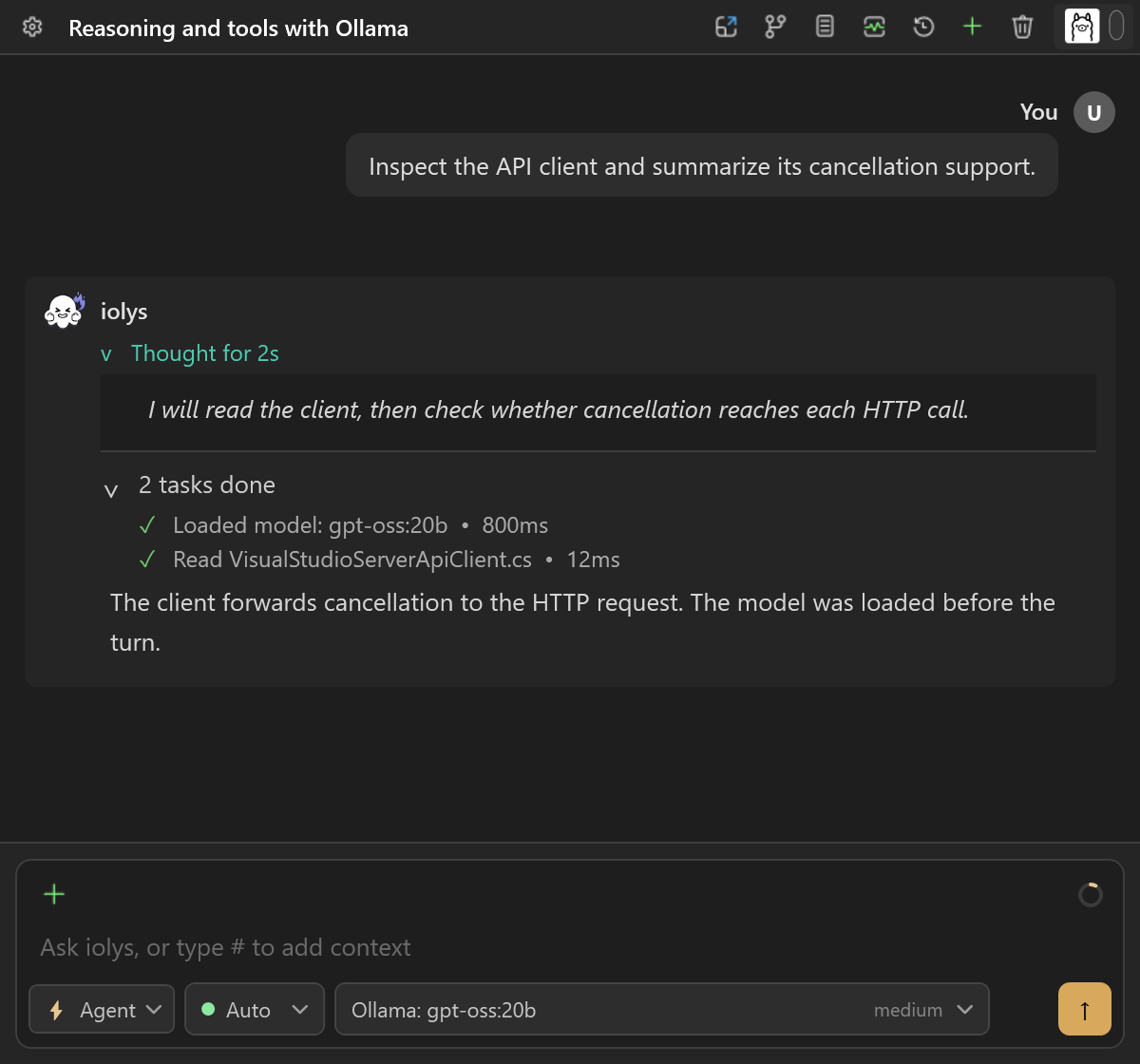
Screenshots use the product's dark theme with offline demonstration data. Model names, capabilities, conversations, memory values, and timings are examples.
01 / Models & context
Install your models.
Fit them to your hardware.
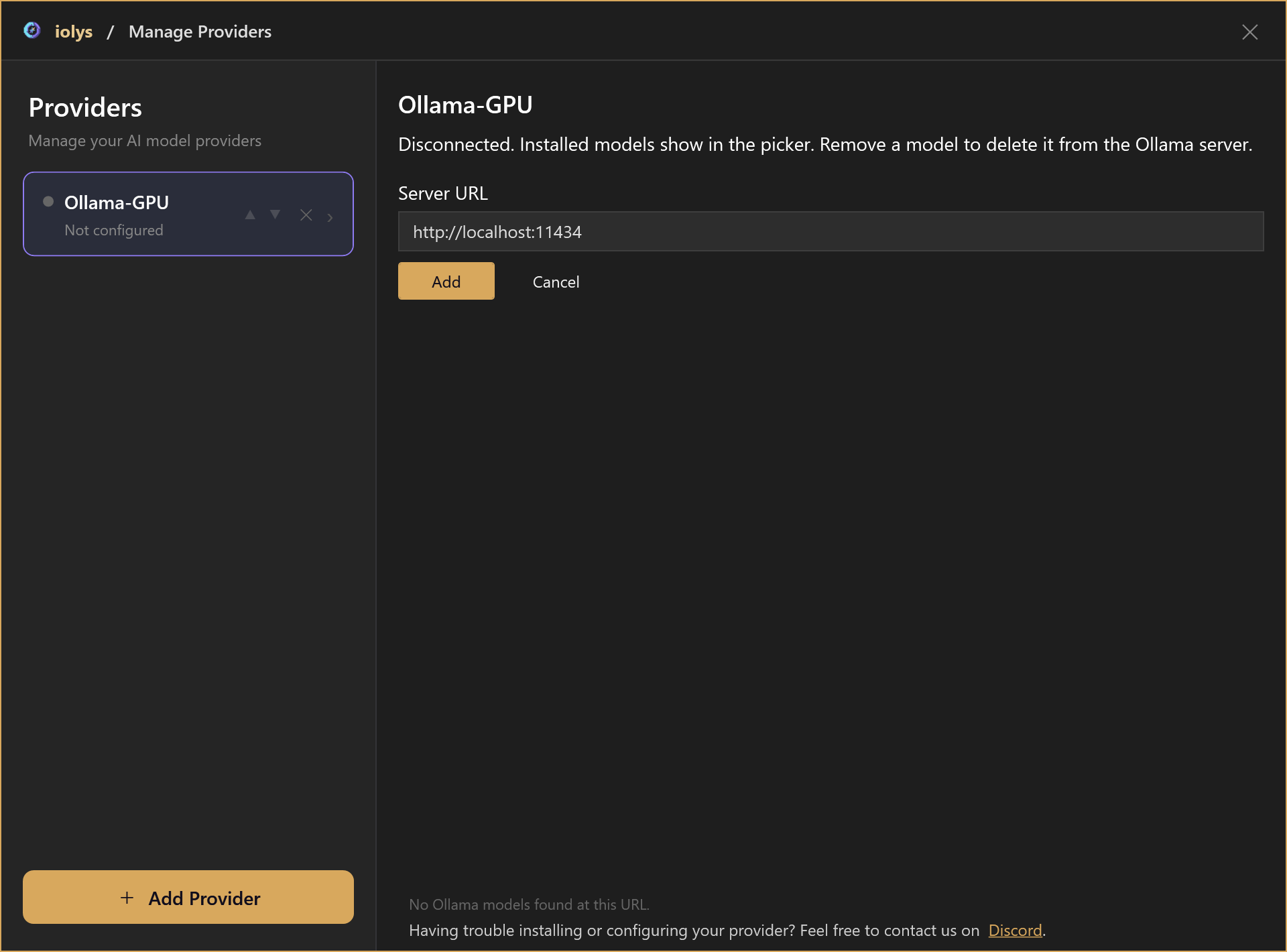
Open Manage Providers → Add Provider → Ollama from the model configuration menu. Enter your server URL, then add a model by its exact name and tag. Installed models become available in the chat picker.
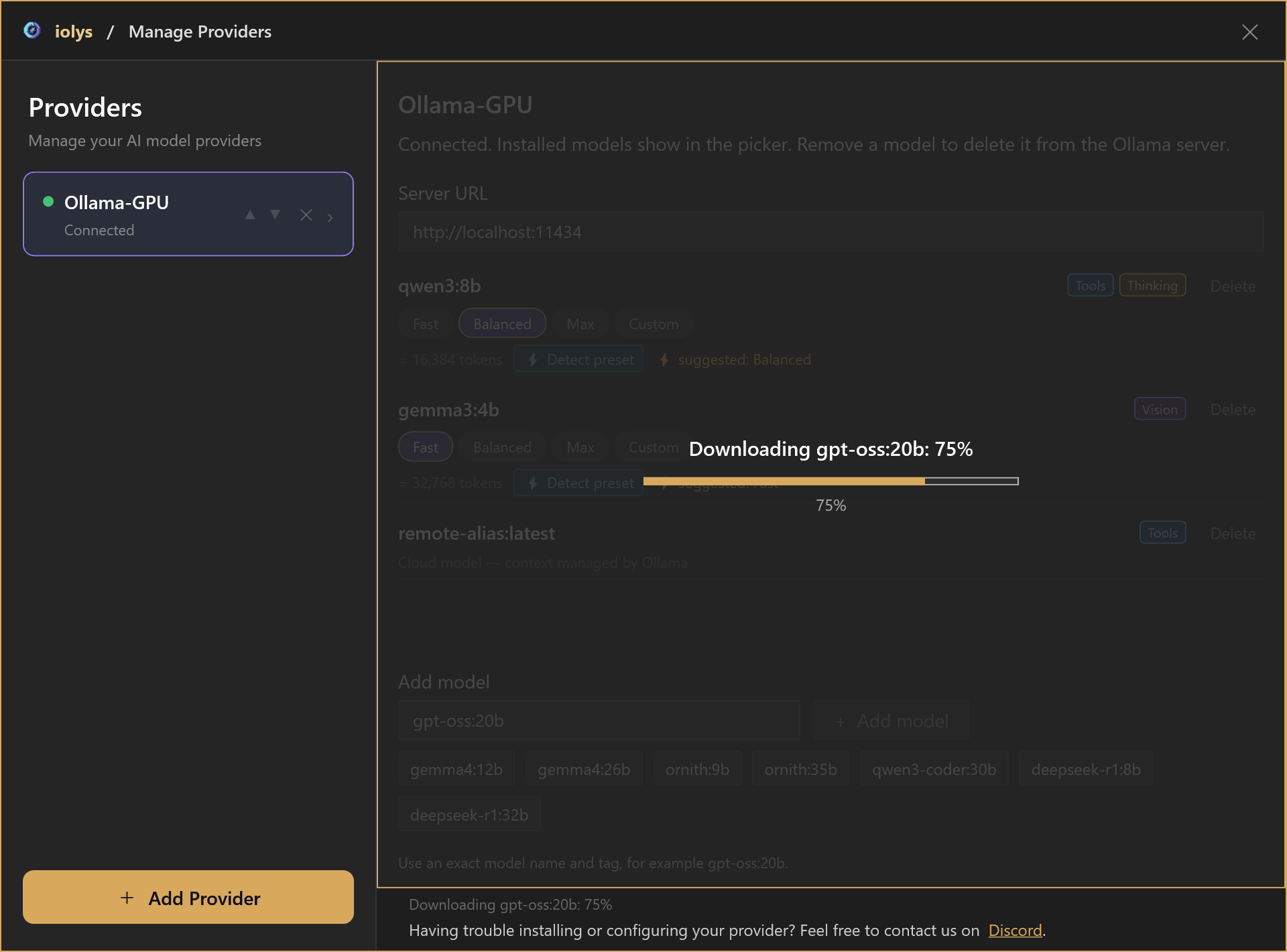
The percentage follows the current transfer when byte totals are available. A download can have several layers; reaching 100% can be followed by verification, context detection, and catalog refresh.
Choose how much context to keep.
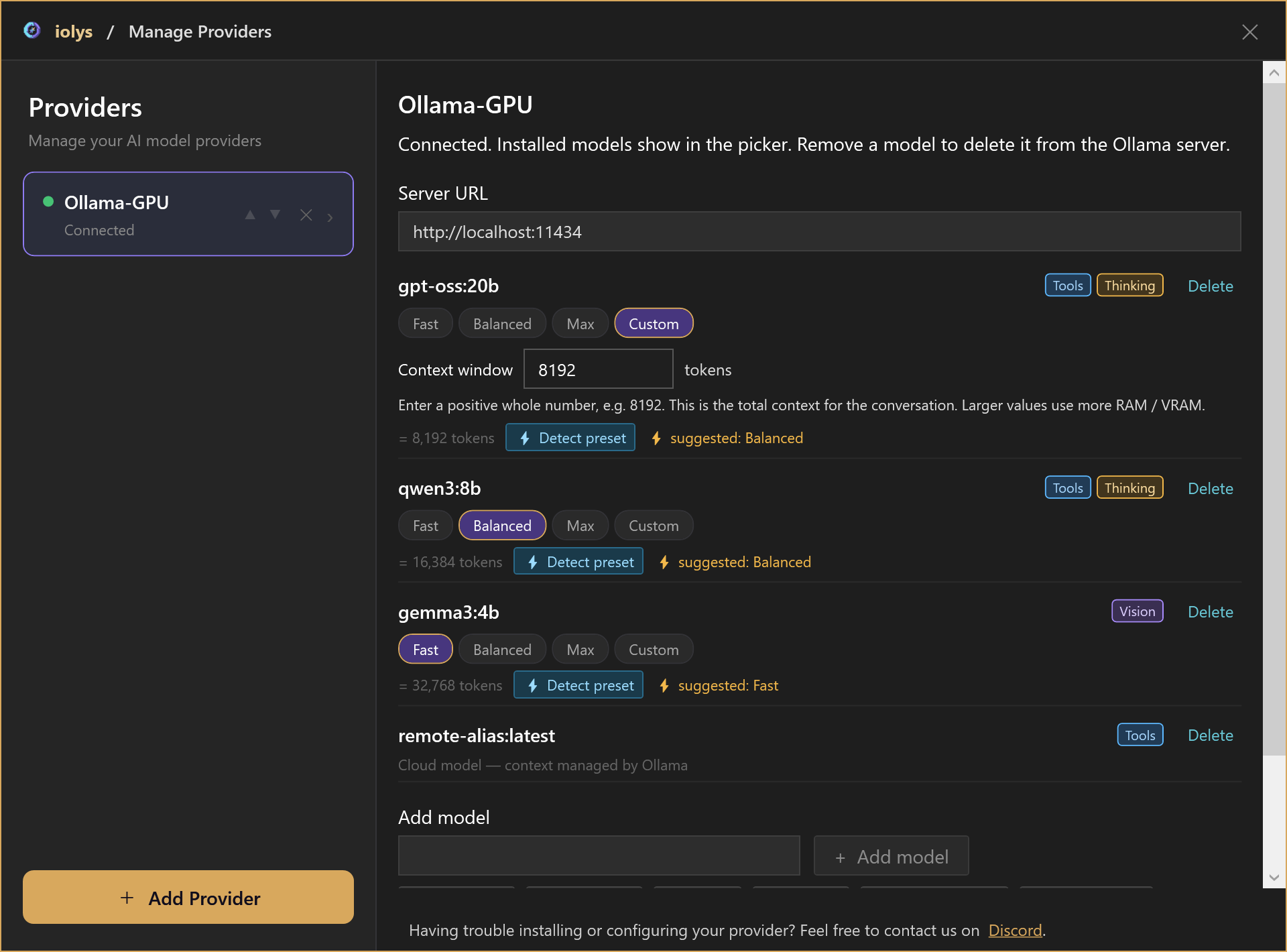
Local models offer Fast, Balanced, Max, and Custom context settings. Fast uses a smaller window; Balanced sits between Fast and Max. Custom accepts a positive whole number of tokens.
- Get a suggested preset.Detect preset probes the local model and suggests a setting for the available memory. The effective token count appears beneath the controls.
- Balance context and memory.A larger window holds more conversation context and uses more RAM / VRAM. Max uses the model's reported maximum.
- Recognize cloud models.Cloud models and detected remote aliases have context managed by Ollama, with no local preset or detection controls.
Find the model for your next task.
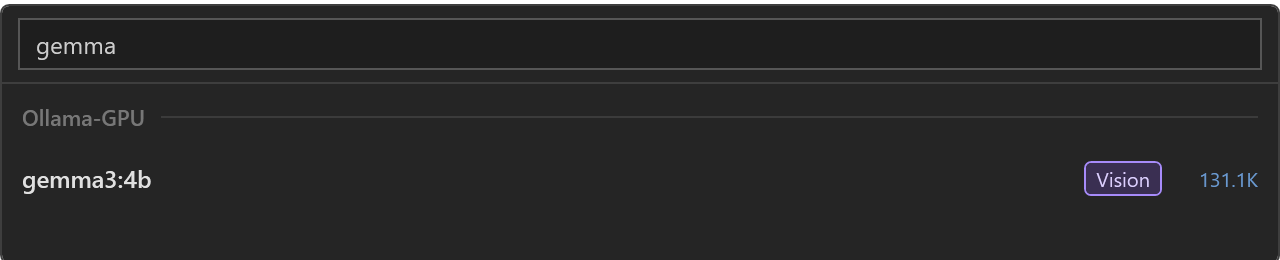
Search the chat picker by model or provider name. Capability badges help you identify thinking and vision support, and the picker shows context limits when available. Manage Providers also shows Tools, Vision, and Thinking badges.
02 / Reasoning & tools
Choose the effort.
Follow the work.
Choose Effort in the model configuration menu when the selected model supports named reasoning levels. Returned reasoning appears in an expandable Thought section, with tool activity visible in the conversation.
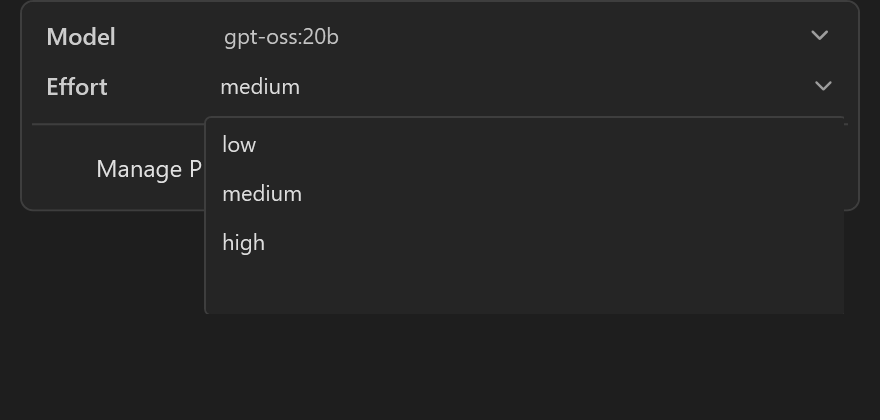
A Thinking badge alone does not guarantee an effort selector. Models with only boolean thinking support do not expose named levels.
Let a capable model use your tools.
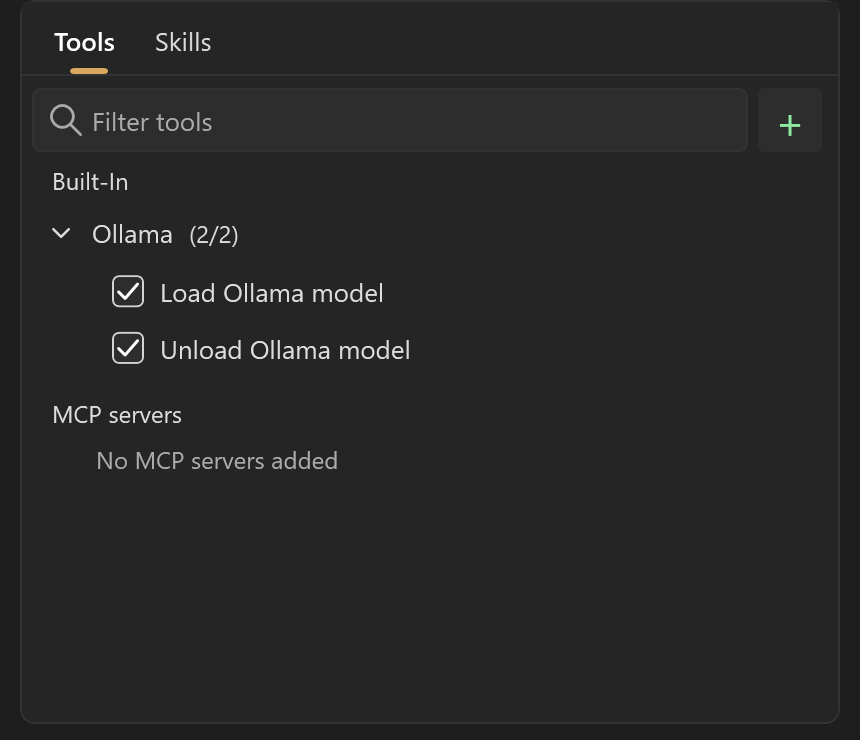
Use permitted iolys tools with a model that supports function calls. Open the tool picker and expand Built-In → Ollama to enable the local memory tools.
- ollama_load_modelLoad an installed local model into RAM / VRAM before using it.
- ollama_unload_modelFree RAM / VRAM while keeping the installed files on disk.
Both tools accept an optional model name; omitting it targets the current model. Cloud models do not receive these local memory tools.
03 / RAM & VRAM
See what is loaded.
Free memory when needed.
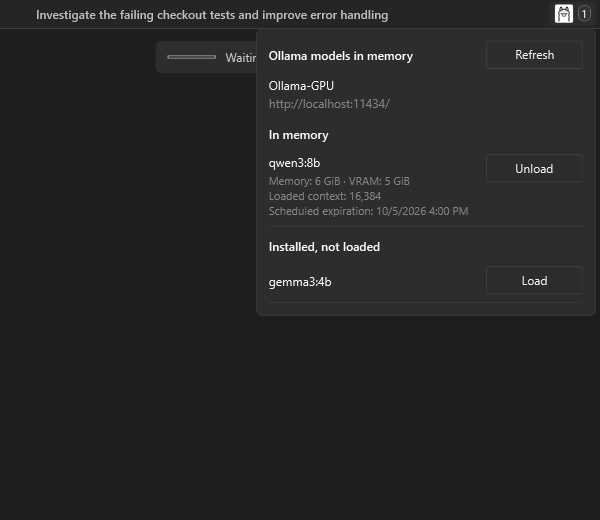
Select the Ollama icon in the chat header. Its badge counts local models in memory on the active provider. The popup separates loaded models from those installed on disk.
- Inspect memory residency.See each loaded model's memory, VRAM, loaded context, and scheduled expiration. Use Refresh to update the view, including during installation.
- Load or unload manually.Load an installed local model, or unload one to release RAM / VRAM. Unload keeps the download; Delete in Manage Providers removes it from the server.
- Keep your model ready.iolys preloads local models before a turn. Local loading and chat requests keep models resident for two hours after the last request; unloading releases them immediately.
Cloud models and detected remote aliases are excluded from the local memory panel and badge.
04 / Images
Add the screenshot.
Give your model the picture.
Select a model with the Vision capability, then attach a screenshot or another image. The attachment preview stays visible beside the conversation.
“Explain the settings in this screenshot and help me choose the right context size.”
Image support depends on the selected model.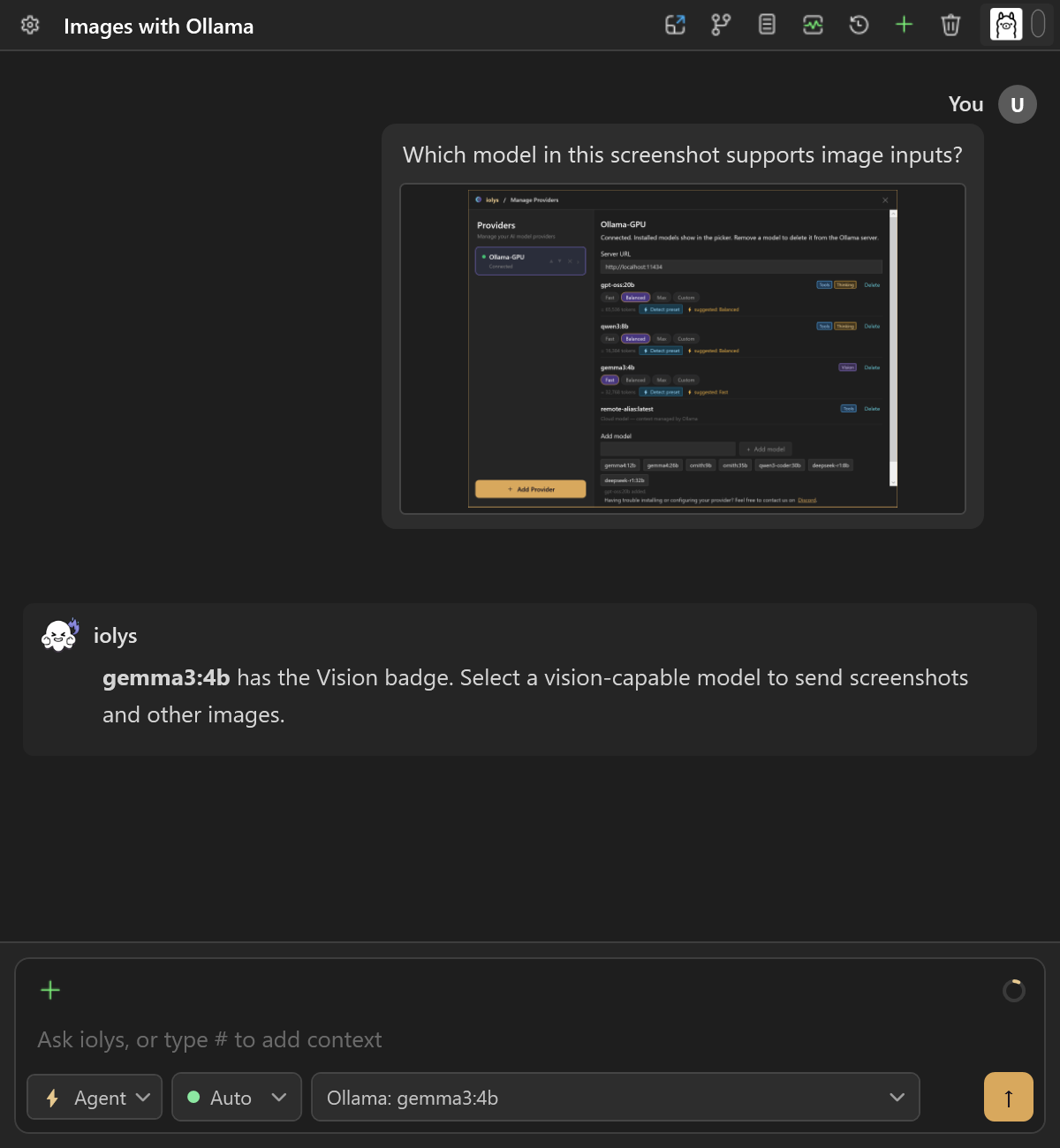
05 / Performance
Read the speed.
Understand the waiting.
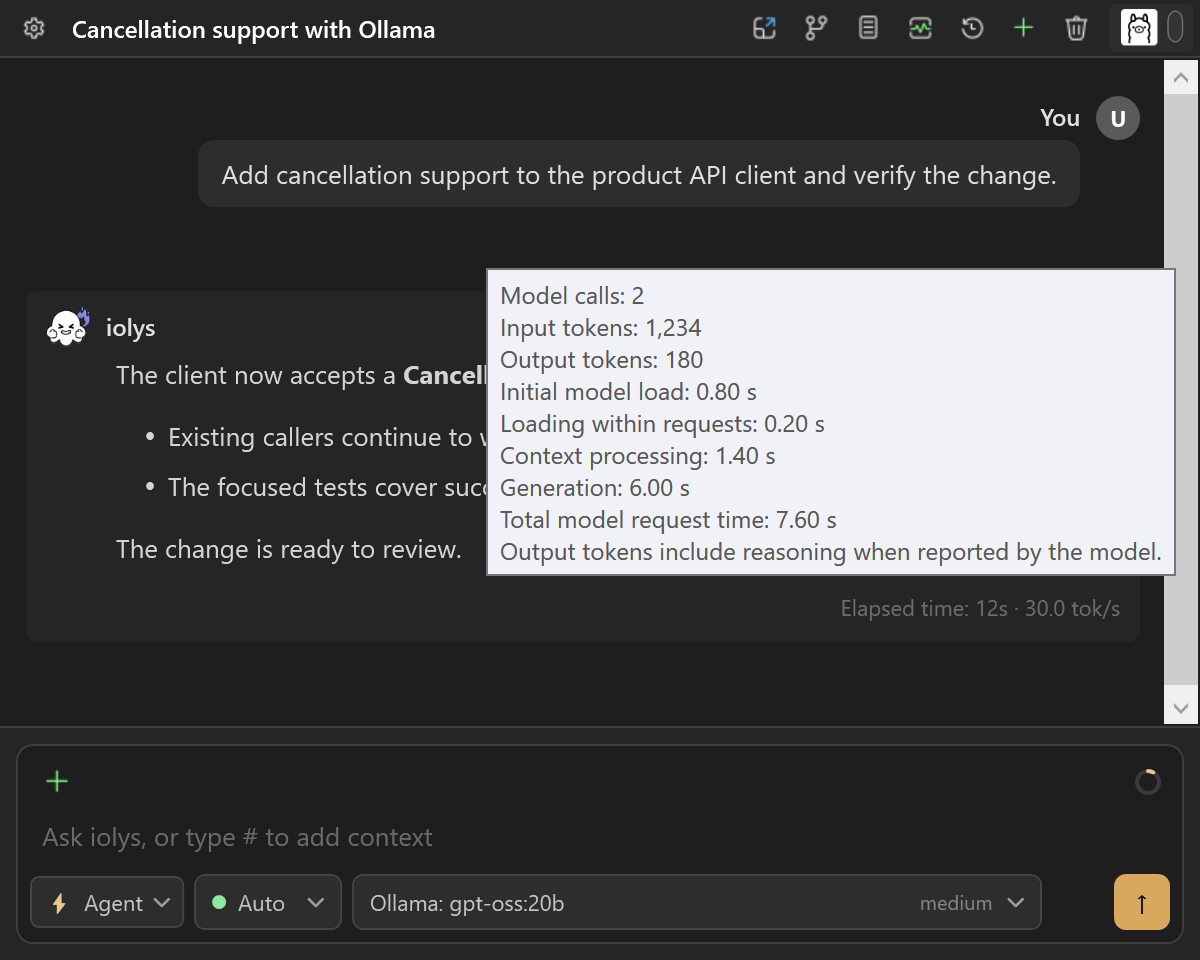
The turn footer can show tokens per second beside elapsed time. Hover over it to see reported input/output tokens, model-call count, and the time spent loading, processing context, and generating output.
- See generation across the turn.The rate uses output tokens divided by generation time across completed model calls, including tool continuations. Tool execution time stays part of elapsed turn time.
- Separate initial loading.Automatic preloading is timed separately from loading reported by chat requests.
- Revisit reported performance.Available performance information remains in session history. Missing or incomplete metrics are hidden.
The screenshot's 180 output tokens over 6 seconds give 30.0 tok/s. These are demonstration values; actual speed depends on the model and hardware.
Installation & recovery
See the error.
Correct it and retry.
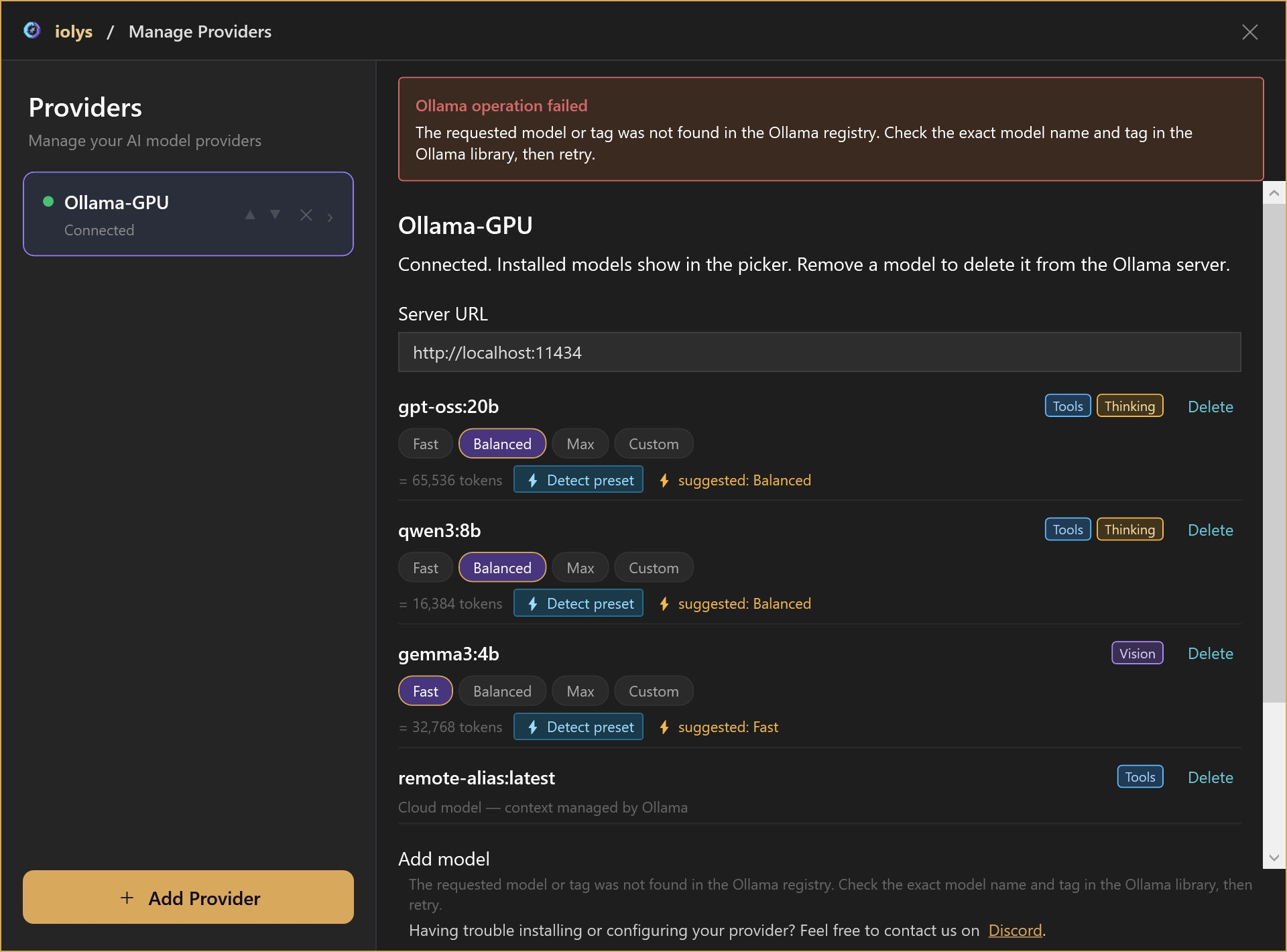
A failed installation leaves a visible error banner and keeps the entered model name available for correction. Check the exact name and tag, server storage, and network access, then choose Add model again.
If download succeeded but context detection failed, choose the context size manually. If the endpoint is unavailable, check that your server is running and reachable, then use Retry.
Connect Ollama
Connect your server. Install your model.
Start Ollama, add its address, and manage your models from Visual Studio.
- 01
Install and start Ollama on your machine or network.
- 02
In the composer's model configuration menu, open Manage Providers, choose Add Provider, then Ollama. Enter the server URL, such as http://localhost:11434, and choose Add.
- 03
Enter an exact model name and tag under Add model. Wait for download, context detection, and catalog refresh, then select the installed model from the chat picker.
How can I use Ollama in Visual Studio for C#?
Install the iolys extension for Visual Studio 2026 and open your C# solution. Install and start Ollama on your machine or network. In the composer's model configuration menu, open Manage Providers, choose Add Provider, then Ollama. Enter the server URL, such as http://localhost:11434, and choose Add. Enter an exact model name and tag under Add model. Wait for download, context detection, and catalog refresh, then select the installed model from the chat picker. You can then ask Ollama to help with your C# and .NET code from the iolys workspace.
Is there a VSIX extension to use Ollama in Visual Studio?
Yes. iolys is a VSIX extension for Visual Studio 2026, and Ollama is one of the provider connections it ships with. Install the iolys VSIX once from the Visual Studio Marketplace, then add Ollama from the Manage Providers panel; there is no separate VSIX per provider.
Can Visual Studio 2026 use Ollama?
Yes, with the iolys extension. It connects an Ollama endpoint on your machine or network to your C# or .NET solution in Visual Studio 2026.
Does Ollama require an API subscription?
No. A local Ollama deployment uses your own hardware and does not require a metered cloud-model API.
Can I use my Ollama Pro, Max, or Team subscription in iolys?
Not yet. iolys connects the local Ollama route, where the model runs on your own machine or network with no provider bill and unlimited usage. Ollama's paid plans are usage-credit allowances for models hosted in Ollama's cloud: Pro at 20 USD per month includes 60 USD of credits and 3 concurrent requests, Max at 100 USD includes 300 USD of credits and 10 concurrent requests, and Team at 500 USD includes 1,000 USD of credits shared across the team. Running models on your own hardware stays unlimited on every plan, including Free. iolys does not connect the cloud route today. Ollama plans verified 18 September 2026 on https://ollama.com/pricing.
Can Ollama run completely offline?
Ollama can run local models without a cloud inference connection once the required software and model files are available.
Can I install models directly from iolys?
Yes. In Manage Providers, enter the exact model name and tag under Add model. iolys shows download progress, then detects context and refreshes the installed catalog. Reaching 100% download does not mean these final stages have finished.
Do all models support reasoning, tools, and images?
No. The model list shows available Tools, Thinking, and Vision capabilities. Named reasoning effort levels appear only when supported; a Thinking badge alone does not guarantee an effort selector. Attach images with a Vision model and use chat tools with a model that supports function calls.
What is the difference between Unload and Delete?
Unload releases a local model from RAM / VRAM and keeps its installed files. Delete in Manage Providers removes the model from the Ollama server. The memory popup also lets you load installed local models and refresh their current status.
How is generation speed calculated?
iolys divides reported output tokens by generation time across completed model calls in the turn, including tool continuations. Tool execution time belongs to elapsed turn time. The displayed examples are demonstration data, not hardware benchmarks; unavailable metrics are hidden.
Do cloud models use local context and memory controls?
No. Cloud models and detected remote aliases have context managed by Ollama. They have no local presets or detection controls, do not appear in the local memory panel, and do not receive the local load and unload tools.
Explore other providers for Visual Studio 2026
 DeepSeek
 Kimi
Kimi OpenRouter
Use Ollama for C# and .NET without leaving Visual Studio 2026.
Keep your active solution, provider access, and development workflow.
Get iolys for Visual Studio 2026