
 DeepSeek
  Visual Studio 2026
Use DeepSeek in
Visual Studio 2026
with your own API key.
Connect DeepSeek to Visual Studio with your own API key. Keep your available balance in view, search the web with DeepSeek’s native Web Search, and bring images into the conversation with a Vision model.
Use your own API balance and provider billing for your C# and .NET work.
See how to connect ↓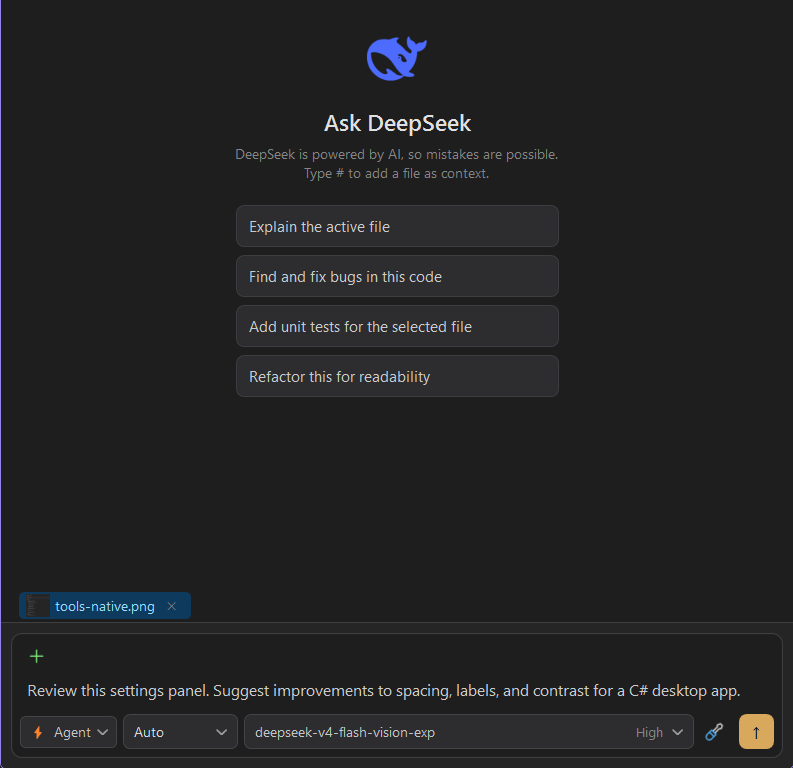
01 / A simple connection
Add your key.
Choose your model.
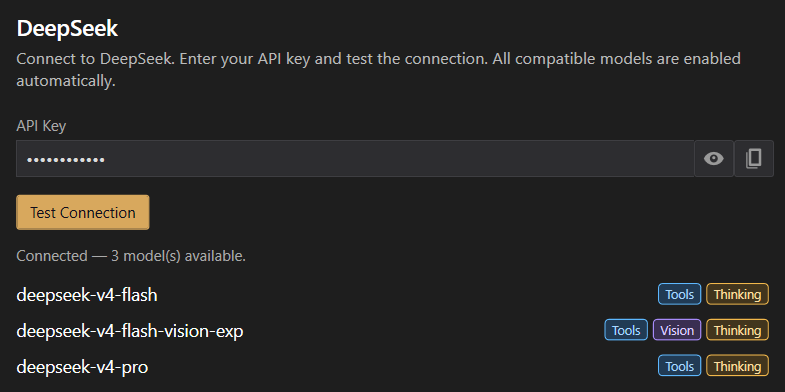
Open Manage Providers, add DeepSeek, and enter your API key. iolys already knows the DeepSeek endpoint.
- Paste your DeepSeek API key.The dedicated provider has a single credential field. Your key stays masked in the interface.
- Test the connection.Use Test Connection to check access and load the available models.
- Start from the model picker.Compatible models are enabled automatically. The capability badges help you identify support for tools, thinking, and Vision.
02 / Usage & balance
Your API balance.
One click away.
Open Show usage in the chat toolbar to see the available balance reported by your DeepSeek account.
- See what is available.The usage window displays your remaining balance with its currency.
- Keep billing with DeepSeek.Requests use your own provider account. Manage funding and billing directly on the DeepSeek platform.
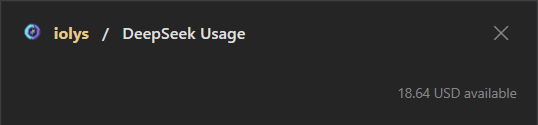
This is an example account balance, not credit included with iolys or a live counter. DeepSeek’s usage view reports an API balance rather than a subscription usage percentage.
03 / Native Web Search
Search the web.
Stay in your workspace.
iolys supports DeepSeek’s native web_search tool. Let DeepSeek search the web and read pages while you work on your C# and .NET solution.
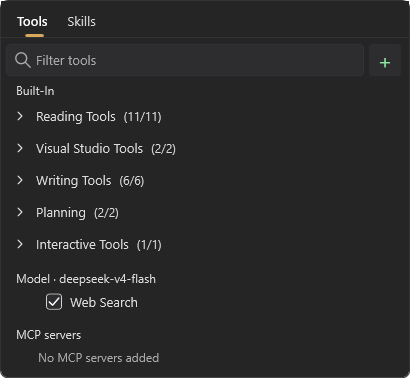
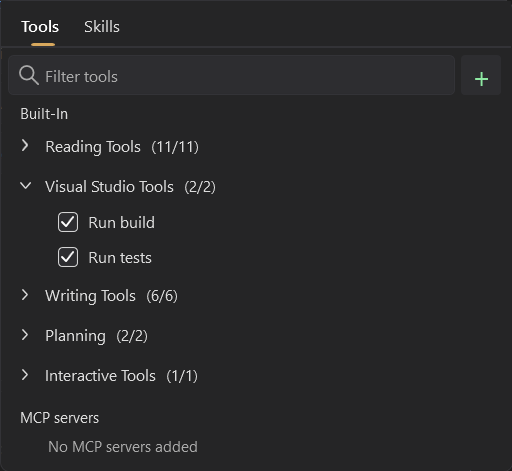
- Choose a compatible model.Open the Tools tab and find the section labeled Model, followed by your selected model’s name.
- Enable Web Search.Check Web Search to make DeepSeek’s native search available in the conversation. You can turn it off from the same panel.
- Bring web context into your task.Ask DeepSeek to find documentation or read a relevant page alongside the code you are discussing.
The capture shows Web Search enabled for deepseek-v4-flash. Availability depends on the selected model.
04 / Images & Vision
Show the problem.
Add the context words miss.
A settings panel, a layout bug, or a diagram can be easier to explain with an image. Choose a model marked Vision, attach your image with Add context → Add file, and describe what you want to investigate.
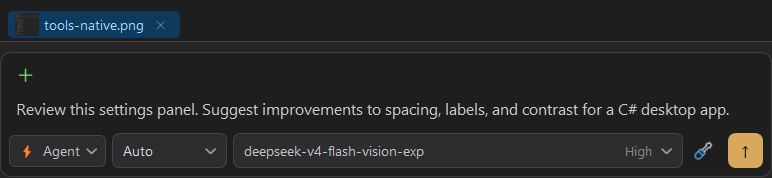
The capture shows a prepared prompt, not a generated answer. Image support requires a compatible Vision model. The model shown, deepseek-v4-flash-vision-exp, is experimental; availability depends on your DeepSeek connection.
DeepSeek’s image support documentation ↗Connect DeepSeek
Connect DeepSeek with your API key.
Add the dedicated provider, check the connection, and choose the model for your next task.
- 01
Open Manage Providers, choose Add Provider, and select DeepSeek.
- 02
Paste your DeepSeek API key and use Test Connection to load the available models.
- 03
Choose your model in the chat. Select a model marked Vision when attaching images.
How can I use DeepSeek in Visual Studio for C#?
Install the iolys extension for Visual Studio 2026 and open your C# solution. Open Manage Providers, choose Add Provider, and select DeepSeek. Paste your DeepSeek API key and use Test Connection to load the available models. Choose your model in the chat. Select a model marked Vision when attaching images. You can then ask DeepSeek to help with your C# and .NET code from the iolys workspace.
Is there a VSIX extension to use DeepSeek in Visual Studio?
Yes. iolys is a VSIX extension for Visual Studio 2026, and DeepSeek is one of the provider connections it ships with. Install the iolys VSIX once from the Visual Studio Marketplace, then add DeepSeek from the Manage Providers panel; there is no separate VSIX per provider.
Can I use DeepSeek in Visual Studio 2026?
Yes, with the iolys extension. It provides a DeepSeek provider connection for Visual Studio 2026, authenticated with your own API key.
How do I connect DeepSeek with my API key?
Open Manage Providers, add DeepSeek, paste your API key, and select Test Connection. iolys supplies the DeepSeek endpoint and enables compatible models automatically. Your own DeepSeek API account and billing are used.
Can I see my DeepSeek usage in Visual Studio?
Yes. Open Show usage from the iolys chat toolbar. DeepSeek Usage displays the available API balance and currency reported by your account, rather than a subscription usage percentage.
Does iolys support DeepSeek’s native web_search tool?
Yes. Select a compatible DeepSeek model, open the Tools tab, and enable Web Search in the Model section. This makes DeepSeek’s native web_search tool available to search the web and read pages in your conversation. The screenshot shows it enabled for deepseek-v4-flash; availability depends on the selected model.
Can DeepSeek work with images in iolys?
Yes, when you select a compatible model marked Vision. Attach an image through Add context and Add file, then write your question. The model shown on this page is deepseek-v4-flash-vision-exp, an experimental model. Available models depend on your provider connection.
Do all DeepSeek models accept images?
No. Select a model marked Vision before attaching images. Text-only models do not gain image support simply by adding a file.
Can I use DeepSeek alongside Codex or Gemini?
Yes. iolys is designed for multiple providers in the same Visual Studio 2026 workflow.
Explore other providers for Visual Studio 2026
 Kimi
Kimi OpenRouter
 OpenCode Go
Use DeepSeek for C# and .NET without leaving Visual Studio 2026.
Keep your active solution, provider access, and development workflow.
Get iolys for Visual Studio 2026