Grok Visual Studio 2026

Use Grok in
Visual Studio 2026
with your Grok account.

Bring Grok Build to your C# and .NET solution. Choose the models on your account and their reasoning effort, work with the iolys tools for your solution, and research with Grok’s native web tools.

BRING YOUR OWN SUBSCRIPTION Your Grok account. Your existing access.

Sign in with your Grok account in the browser. Access, allowance, and billing follow that account and its plan.

How subscription access works ↗
GROK / MANAGED CLI
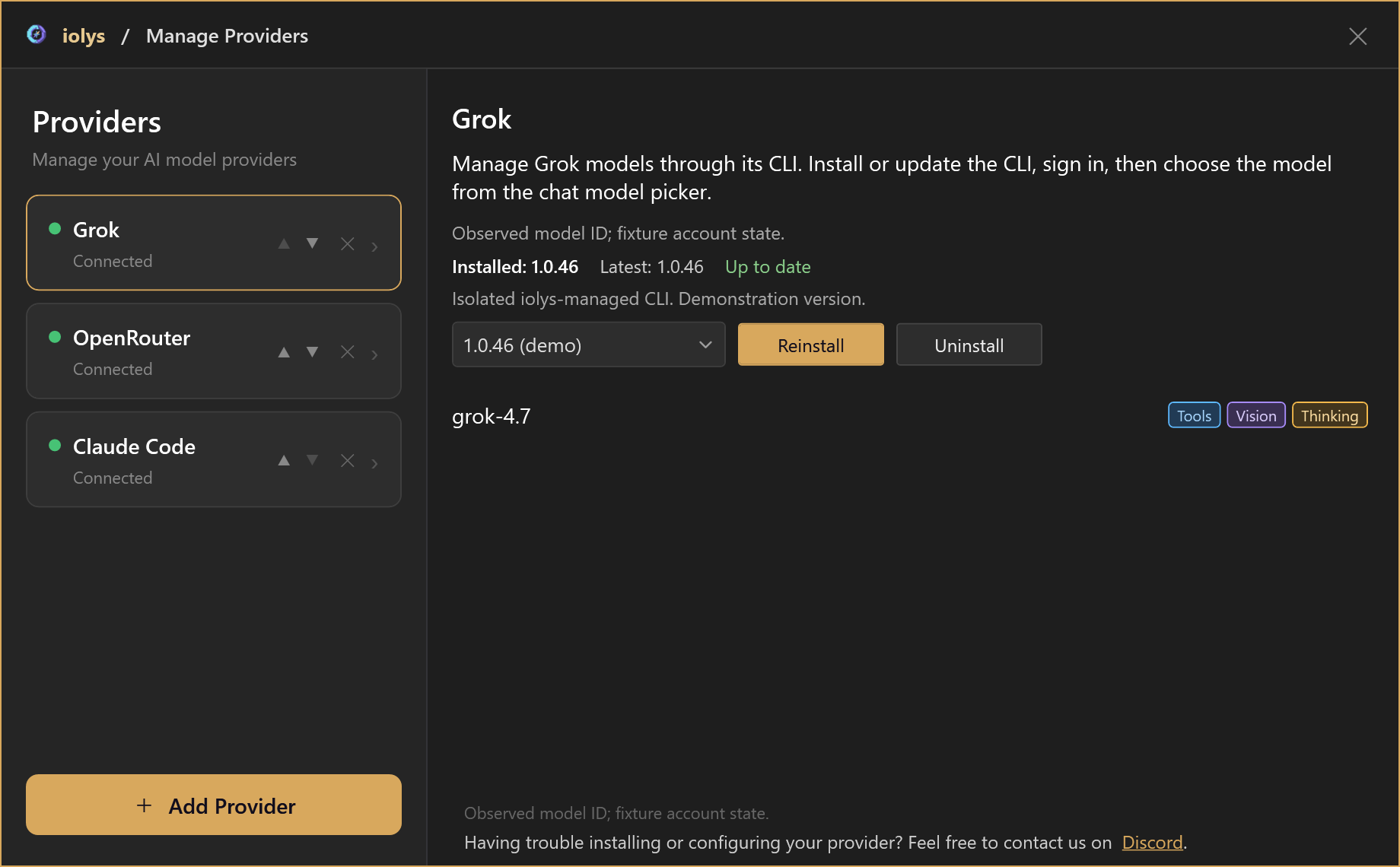
Grok selected in Manage Providers, showing the installed managed CLI version 1.0.46, Reinstall and Uninstall buttons, and the grok-4.7 model tagged Tools, Vision, and Thinking.
Install, connect, and choose your models in one panel.Enlarge ↗
Account modelsReasoning effortNative web toolsReported cost

Product views rendered with demonstration data. No live conversation, account data, or billed request is shown. Available models, allowance, and billing depend on your Grok account.

01 / Models & reasoning effort

Choose your model.
Set the depth of thought.

iolys reads the models available to your Grok account. Open the model options beside your prompt to choose a model and the effort levels it advertises.

  • Your account’s catalog.Refresh the models in Manage Providers. The chat picker shows the Grok models your account can use for coding.
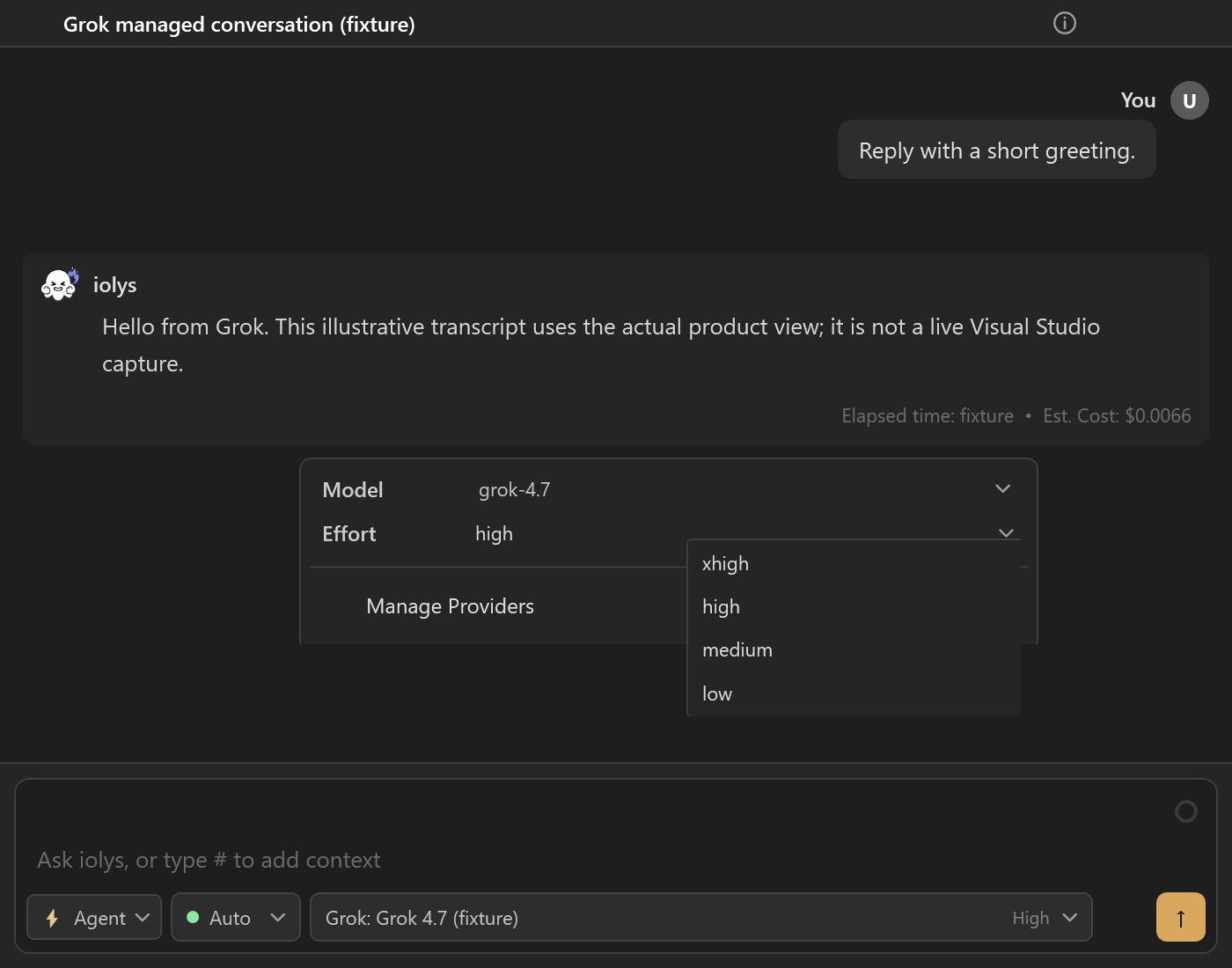
  • Effort per model.grok-4.7 offers xhigh, high, medium, and low. Models without graded effort keep the selector hidden.
  • Confirmed before sending.Grok must confirm the selected model and effort before your prompt is sent; an unavailable choice is never replaced silently.
MODEL OPTIONSReasoning effort
Grok model options showing grok-4.7 and the xhigh, high, medium, and low reasoning effort levels, with high selected.
The supported effort levels, beside your prompt. Demonstration.

02 / Tools & web research

Research with Grok.
Change your code with iolys.

Grok works on your solution through the tools supplied by iolys, under your permission mode. Its native Web Search and Fetch URL tools stay available for research.

IOLYS TOOLS

Inspect, change, and validate.

Read and search files, edit code, and run builds and tests. Tool activity and permission requests stay visible in the conversation. Grok’s own file and shell tools are not enabled.

TRY A PROMPT

“Trace this failing integration test across the solution and propose a fix.”

NATIVE WEB TOOLS

Read the source in context.

Ask Grok to search the web or read a public page, such as a migration guide or release note. When a search result arrives without citations, iolys flags it as unverified.

TRY A PROMPT

“Read this library’s migration guide and identify the changes needed in my project.”

See what Grok can use.

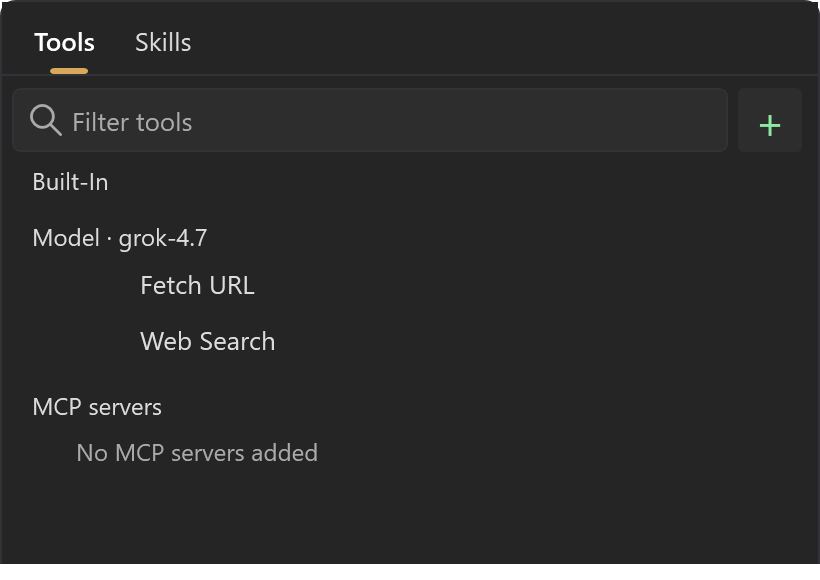
Open Tools and Skills beside the prompt. Fetch URL and Web Search appear under the selected Grok model; they cannot be switched off individually.

  • Add the relevant context.Type # to reference a file, or attach the active document or selection.
  • Keep control.Interactive mode asks before Grok edits files or runs commands through iolys.
  • Check what you read.Treat web results as research to verify, especially when they come without citations.
MODEL TOOLSTools and Skills
The iolys Tools and Skills menu showing Fetch URL and Web Search under Model grok-4.7.
Grok’s native web tools, listed under the selected model. Demonstration.

03 / Usage & cost

Follow each turn.
Check your account.

iolys records the token usage and the cost that Grok reports for each turn, and keeps them beside the answer.

  • Reported cost per turn.The conversation shows the USD amount returned by Grok, with input, output, cache, and reasoning tokens in its tooltip.
  • Account usage on request.Open Show usage from the chat toolbar to see the plan and the remaining included allowance when Grok reports it.
  • Missing data stays missing.When Grok does not report an allowance, iolys shows it as unavailable rather than guessing zero or full.

Reported costs are not invoices. Your Grok account remains the reference for allowance, balance, and billing.

CONVERSATIONReported cost
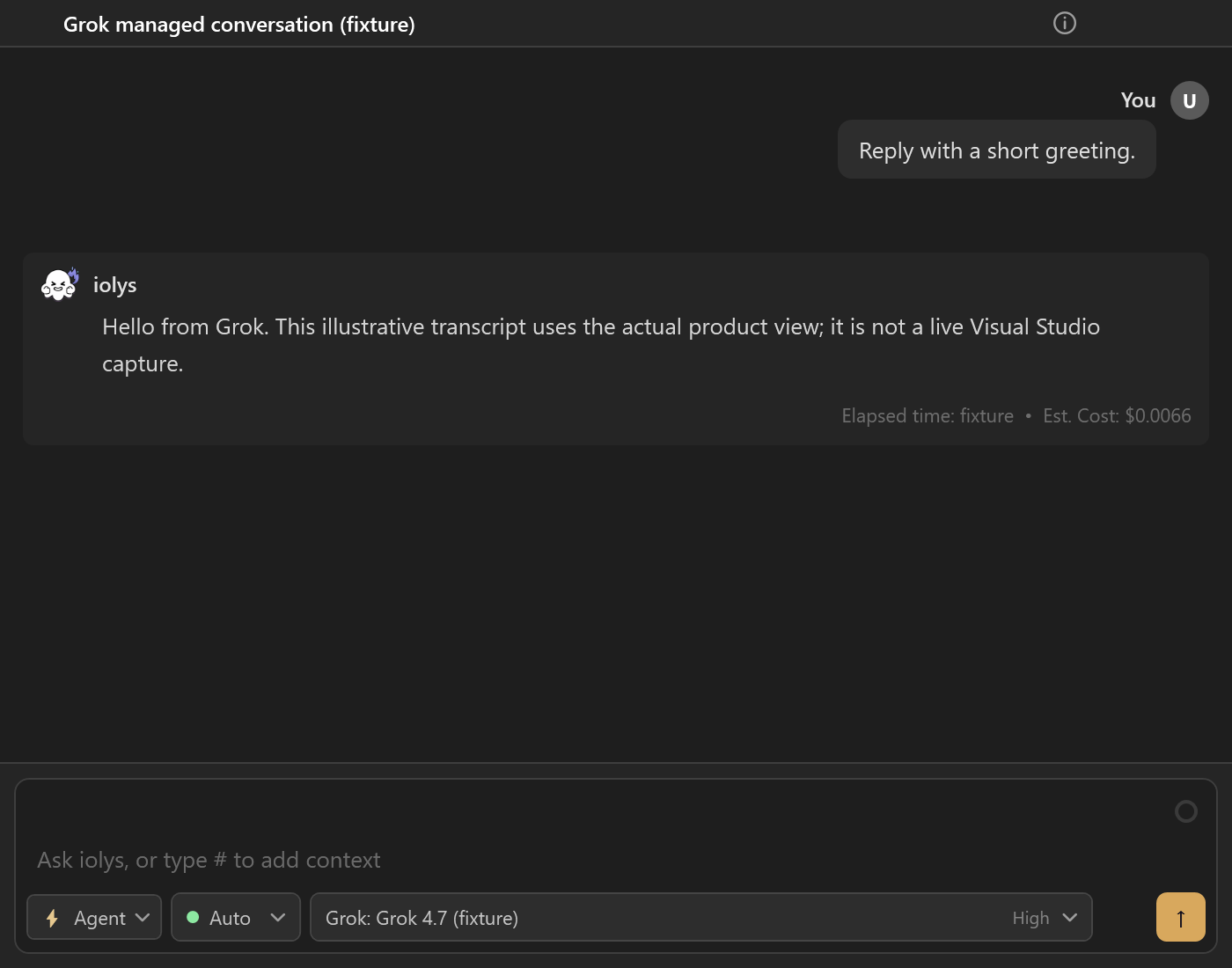
A short Grok conversation in iolys with Grok 4.7 and High effort selected, and an estimated cost of 0.0066 USD below the answer.
The cost reported for a turn, beside the answer. Demonstration.

Connect Grok

Set up Grok in Manage Providers.

Download the managed CLI, sign in with your Grok account, and choose your models in the same panel.

  1. 01

    Open Manage Providers in iolys and add Grok.

  2. 02

    Install the locally managed Grok Build CLI from the provider panel, then choose Connect and sign in with your Grok account in the browser.

  3. 03

    Refresh the models, choose a Grok model and a supported effort level, then start from your Visual Studio solution.

Grok FAQ

Grok and Visual Studio 2026.

Visit the official Grok website ↗
How can I use Grok in Visual Studio for C#?

Install the iolys extension for Visual Studio 2026 and open your C# solution. Open Manage Providers in iolys and add Grok. Install the locally managed Grok Build CLI from the provider panel, then choose Connect and sign in with your Grok account in the browser. Refresh the models, choose a Grok model and a supported effort level, then start from your Visual Studio solution. You can then ask Grok to help with your C# and .NET code from the iolys workspace.

Is there a VSIX extension to use Grok in Visual Studio?

Yes. iolys is a VSIX extension for Visual Studio 2026, and Grok is one of the provider connections it ships with. Install the iolys VSIX once from the Visual Studio Marketplace, then add Grok from the Manage Providers panel; there is no separate VSIX per provider.

Can I use my Grok account in iolys?

Yes. Add Grok in Manage Providers, install the managed Grok Build CLI, and sign in with your Grok account in the browser. Access, allowance, and billing follow that account and its plan; iolys does not include Grok usage.

Is Grok the same as the Groq provider?

No. Grok Build is xAI’s coding agent, connected through its CLI and your Grok account. Groq is a separate API provider in iolys, and Grok models offered through API gateways such as OpenRouter use those gateways’ keys and billing.

Can I choose Grok’s reasoning effort level?

Yes, for models that advertise graded effort levels. Open the model options beside the prompt. grok-4.7 offers xhigh, high, medium, and low. Grok must confirm the selected model and effort before the prompt is sent.

Can Grok search the web and read documentation?

Yes. Grok’s native Web Search and Fetch URL tools are always available while Grok is selected. When a search result arrives without citations, iolys adds a warning that it could not be verified against retrieved pages.

Can Grok use Visual Studio build and test tools?

Yes. Grok uses the tools supplied by iolys to read and edit code, run builds, and run tests, under your permission mode. Grok’s own file, shell, and subagent tools are not enabled in this integration.

Can I see my Grok usage and costs?

Each turn shows the cost and tokens reported by Grok. Open Show usage from the chat toolbar for your plan and the remaining included allowance when Grok reports it. When Grok does not report an allowance, iolys shows it as unavailable rather than guessing.

How is the Grok CLI installed and updated?

Open Manage Providers and select Grok. iolys downloads the official Windows Grok Build CLI from xAI into its own managed folder, separately from any standalone installation, and can reinstall or uninstall it from the same panel.

Can I keep other providers configured?

Yes. Grok can sit alongside cloud APIs, local Ollama models, and other provider CLIs.

Use Grok for C# and .NET without leaving Visual Studio 2026.

Keep your active solution, provider access, and development workflow.

Get iolys for Visual Studio 2026