
Use the models available through Kiro.
Choose from the models exposed by your Kiro connection. The selected model stays visible in the composer, together with its reported credit multiplier.
 Kiro
Kiro  Visual Studio 2026
Use your existing Kiro subscription inside Visual Studio 2026. Bring your plan’s models and credits into your C# and .NET workflow, with reasoning effort controls, a locally managed CLI, and native Kiro tools.
Use the models and credits available through your plan.
How subscription access works ↗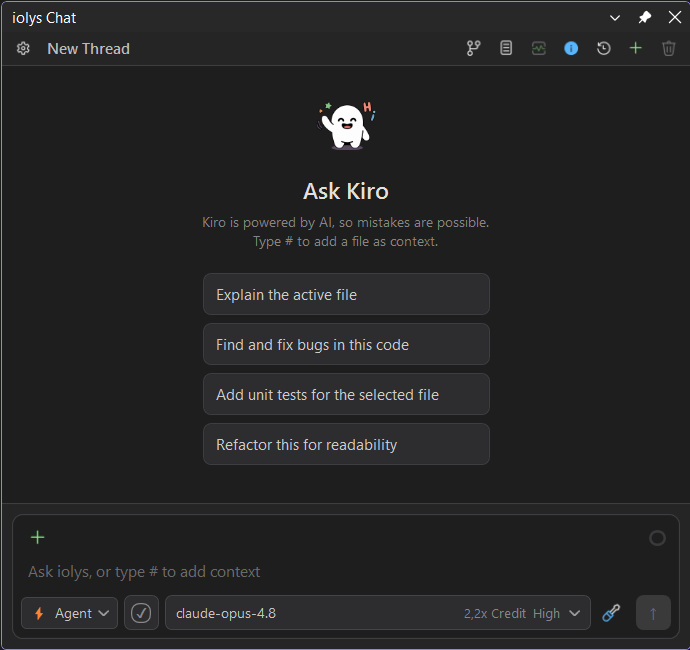
01 / Usage & credits
Open Show usage from the chat toolbar to check the allowance reported by your Kiro account, without leaving Visual Studio.
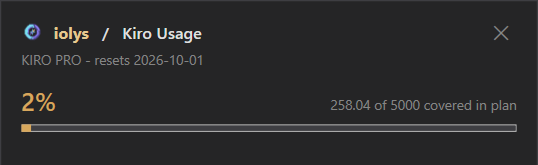
Captured from a connected account. These are example values reported by Kiro, not credits included with iolys.
02 / Models & reasoning effort
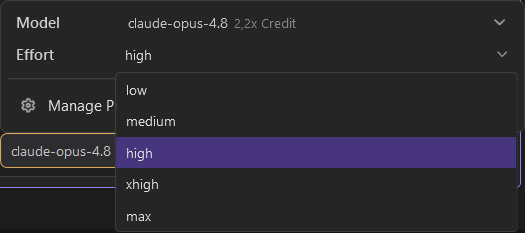
Keep model choice and reasoning effort next to your prompt. Adjust the settings as you move from a focused fix to a larger investigation.
“Explain why this unit test is failing.”
“Review how this change affects the whole solution.”
Choose the model and reasoning effort for the scope of the task.03 / Manage Providers
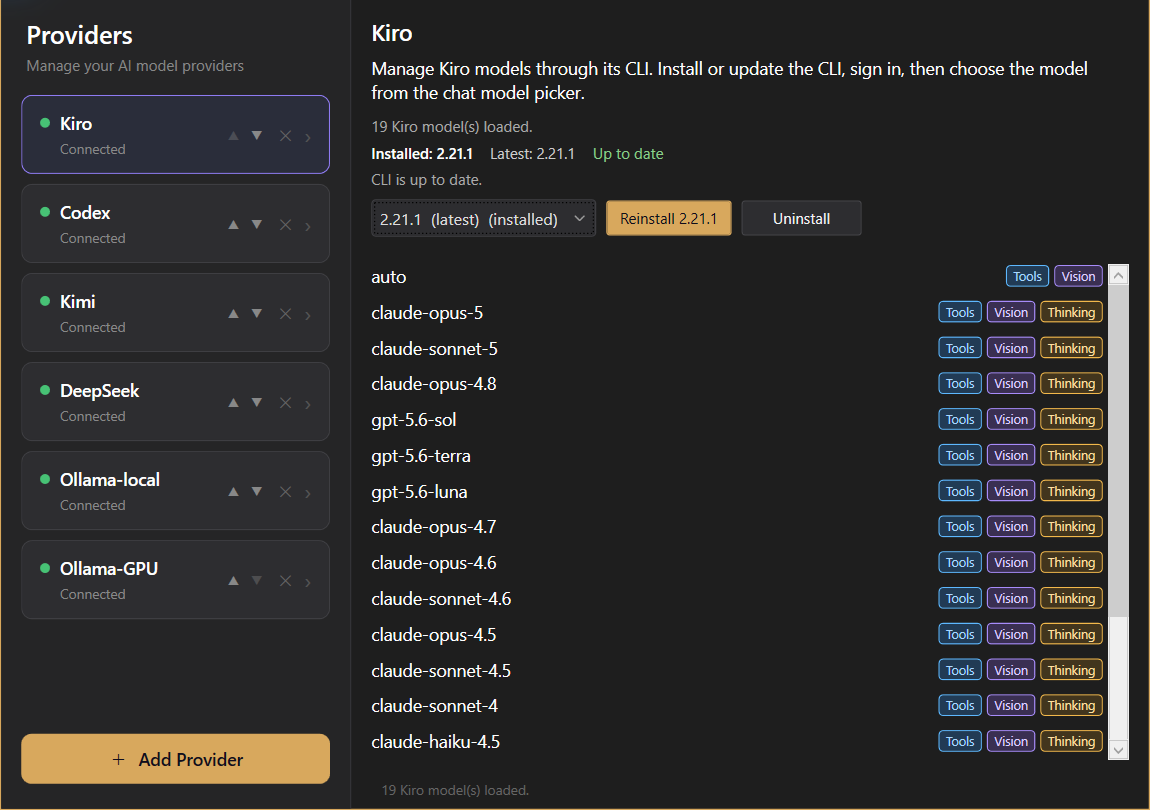
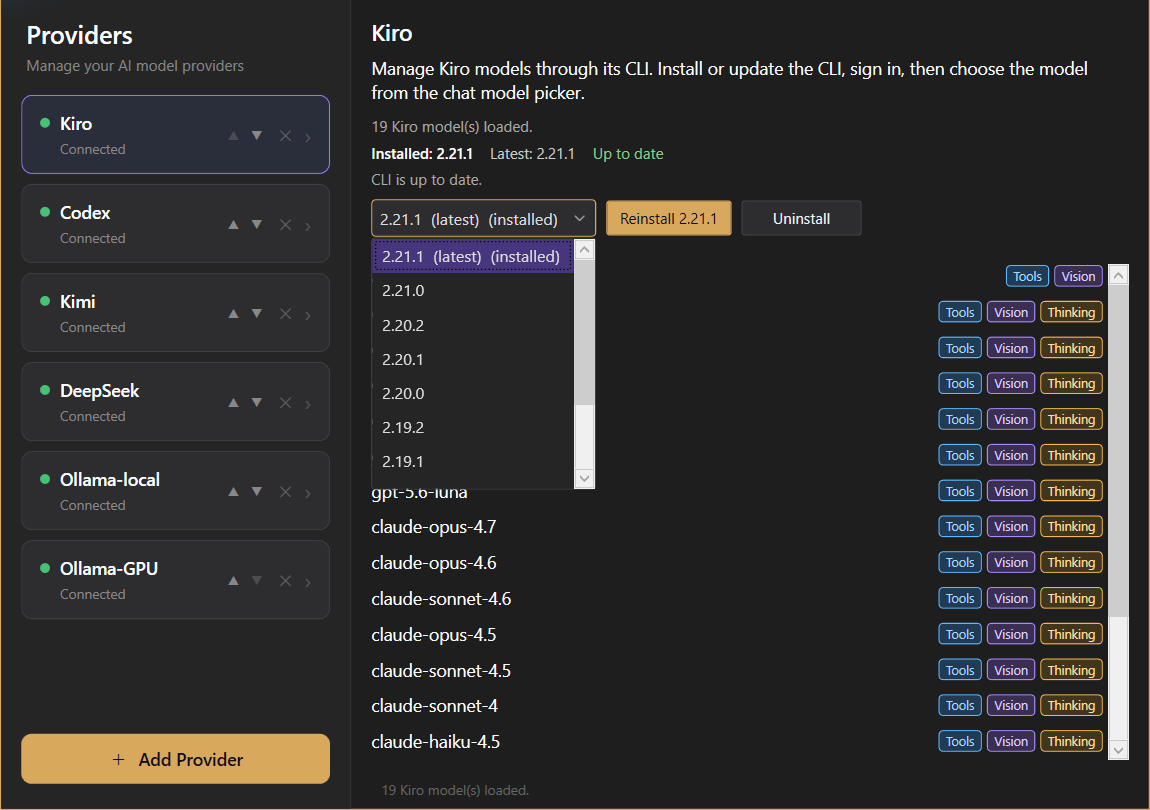
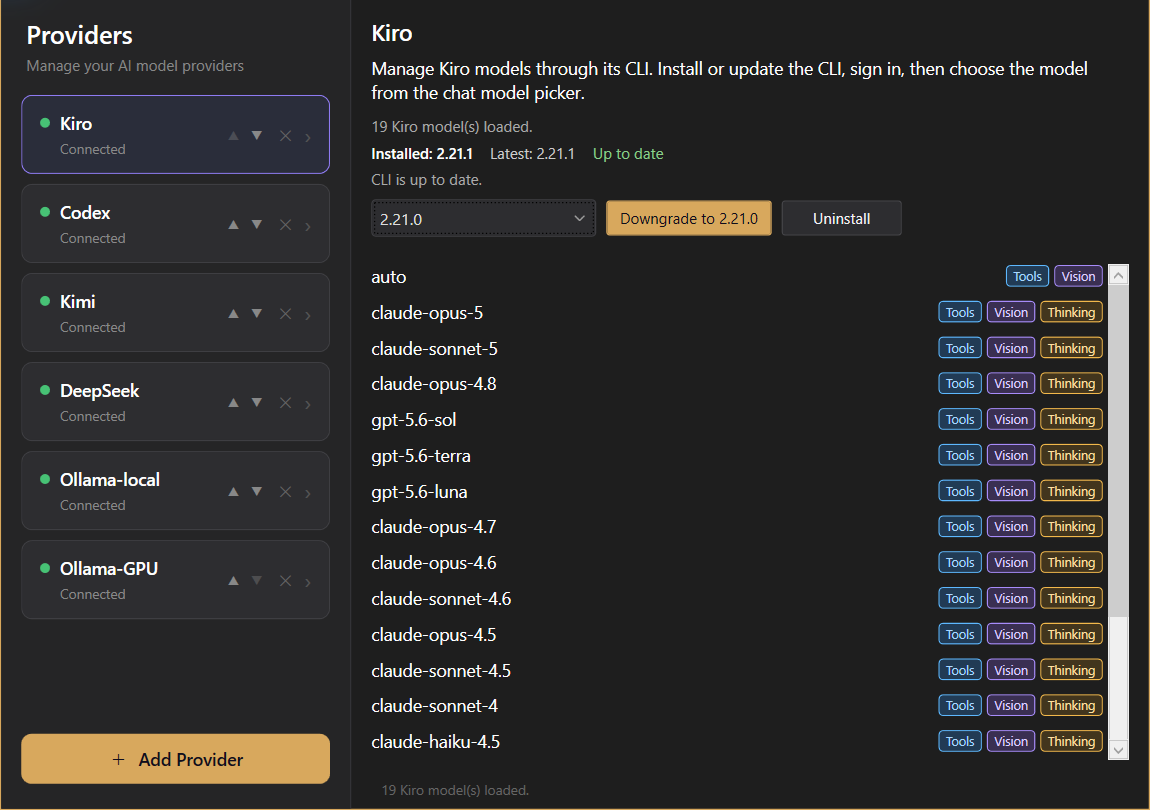
iolys downloads and manages the Kiro CLI locally from Manage Providers. Keep installation, updates, and version selection in one place.
The captures show Kiro CLI 2.21.1 installed and a preview of the downgrade to 2.21.0. Selecting a release alone does not install it. Available versions follow the list in Manage Providers.

04 / Native Kiro tools
The integration brings selected native Kiro tools into the agent’s workflow, alongside the tools iolys provides for your solution.
Kiro’s native web search and page fetching tools are available to help research a question and read relevant documentation.
The integration includes Kiro’s native AWS tool. Its use depends on your AWS configuration, credentials, and permissions.
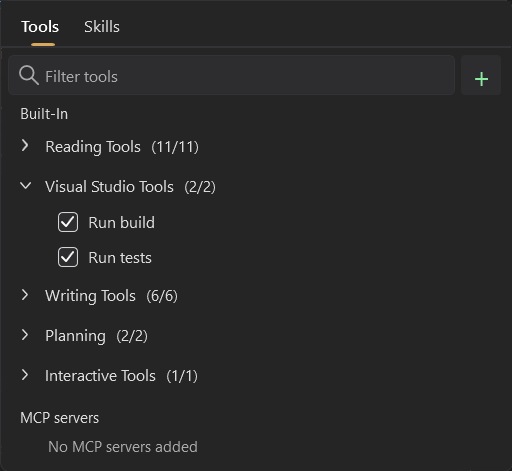
Kiro also connects to iolys tools for reading and editing code, running builds, and running tests. Open Tools and Skills beside the prompt to inspect the iolys tools available to the conversation.
Connect Kiro
iolys downloads and manages the CLI locally. Keep installation, versions, and updates together inside Visual Studio.
Open Manage Providers in iolys and select Kiro.
Download the CLI locally from the provider panel, then follow the Kiro sign-in flow. Manage versions and updates in the same place.
Choose your Kiro model and a supported effort level, then start from your active Visual Studio 2026 solution.
Install the iolys extension for Visual Studio 2026 and open your C# solution. Open Manage Providers in iolys and select Kiro. Download the CLI locally from the provider panel, then follow the Kiro sign-in flow. Manage versions and updates in the same place. Choose your Kiro model and a supported effort level, then start from your active Visual Studio 2026 solution. You can then ask Kiro to help with your C# and .NET code from the iolys workspace.
Yes. iolys is a VSIX extension for Visual Studio 2026, and Kiro is one of the provider connections it ships with. Install the iolys VSIX once from the Visual Studio Marketplace, then add Kiro from the Manage Providers panel; there is no separate VSIX per provider.
Yes. Sign in with your Kiro account to use the models and credits available through your existing subscription inside Visual Studio 2026. iolys provides the Visual Studio integration; your provider subscription and allowance remain with Kiro.
Yes, with the iolys extension. Kiro does not integrate with the IDE on its own: iolys provides the layer between the Kiro CLI and Visual Studio 2026, and runs it against your active C# or .NET solution.
Yes. Open Show usage from the iolys chat toolbar. The Kiro Usage window displays the percentage, credit details, plan name, and reset date reported by your Kiro account. Your allowance depends on your provider account and plan.
Yes. Open the model options beside the prompt and choose an effort level supported by the selected model. iolys discovers the effort options from Kiro; available levels depend on the model and CLI connection.
Open Manage Providers and select Kiro. iolys downloads and manages its own local CLI installation from this panel, including version selection and updates. You do not need to install the CLI separately first.
Yes. Compare the installed and latest versions in Manage Providers. Select a newer available release to update, or an earlier release to display the Downgrade to action. Choosing a version alone does not install it; apply the change with the corresponding button.
The integration includes Kiro’s native AWS, web search, and web fetching tools, alongside iolys tools for your Visual Studio solution. Tool availability and execution depend on your Kiro configuration and relevant permissions; AWS tools also require an appropriate AWS setup.
Yes. Kiro connects to the tools provided by iolys, including reading and editing code, running builds, and running tests. Open Tools and Skills to inspect the iolys tools available to the conversation.
No. You can move between Kiro and every other provider configured in iolys.
Explore other providers for Visual Studio 2026
Keep your active solution, provider access, and development workflow.
Get iolys for Visual Studio 2026 Ollama
 DeepSeek
 Kimi
Kimi