
Visual Studio 2026 · C# and .NET
OpenCode Zen.
In Visual Studio.
Choose curated coding models with your own OpenCode Zen API key. Keep your solution, tools, and available cost estimates beside your conversation.
OpenCode bills your model requests. Zen is separate from the OpenCode Go subscription.
Explore OpenCode Go ↗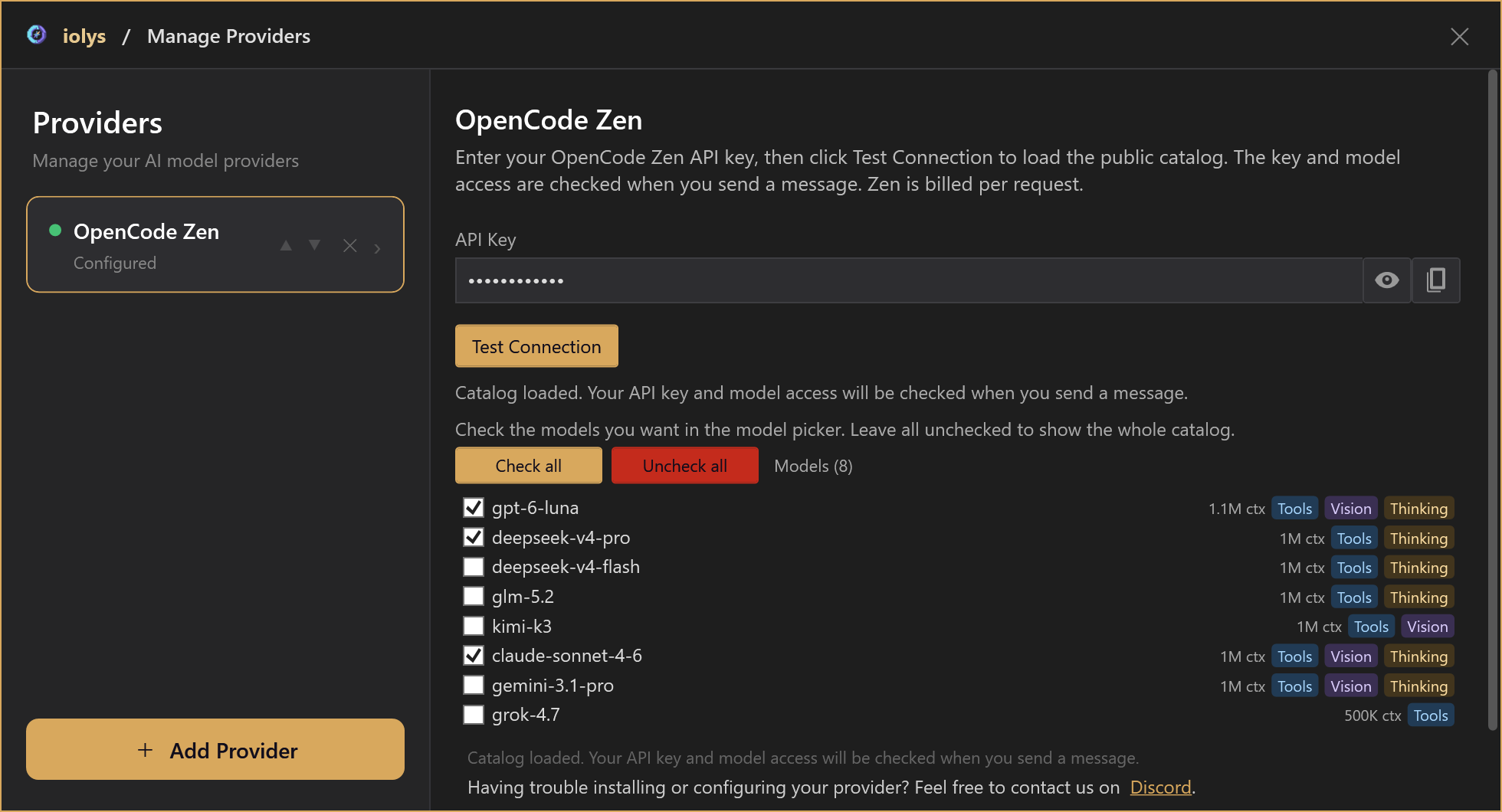
Product controls rendered with demonstration data. Model access and billing depend on your OpenCode account. Test Connection loads the public catalog; the first message checks your key and model access.
Your development workflow
Choose a model.
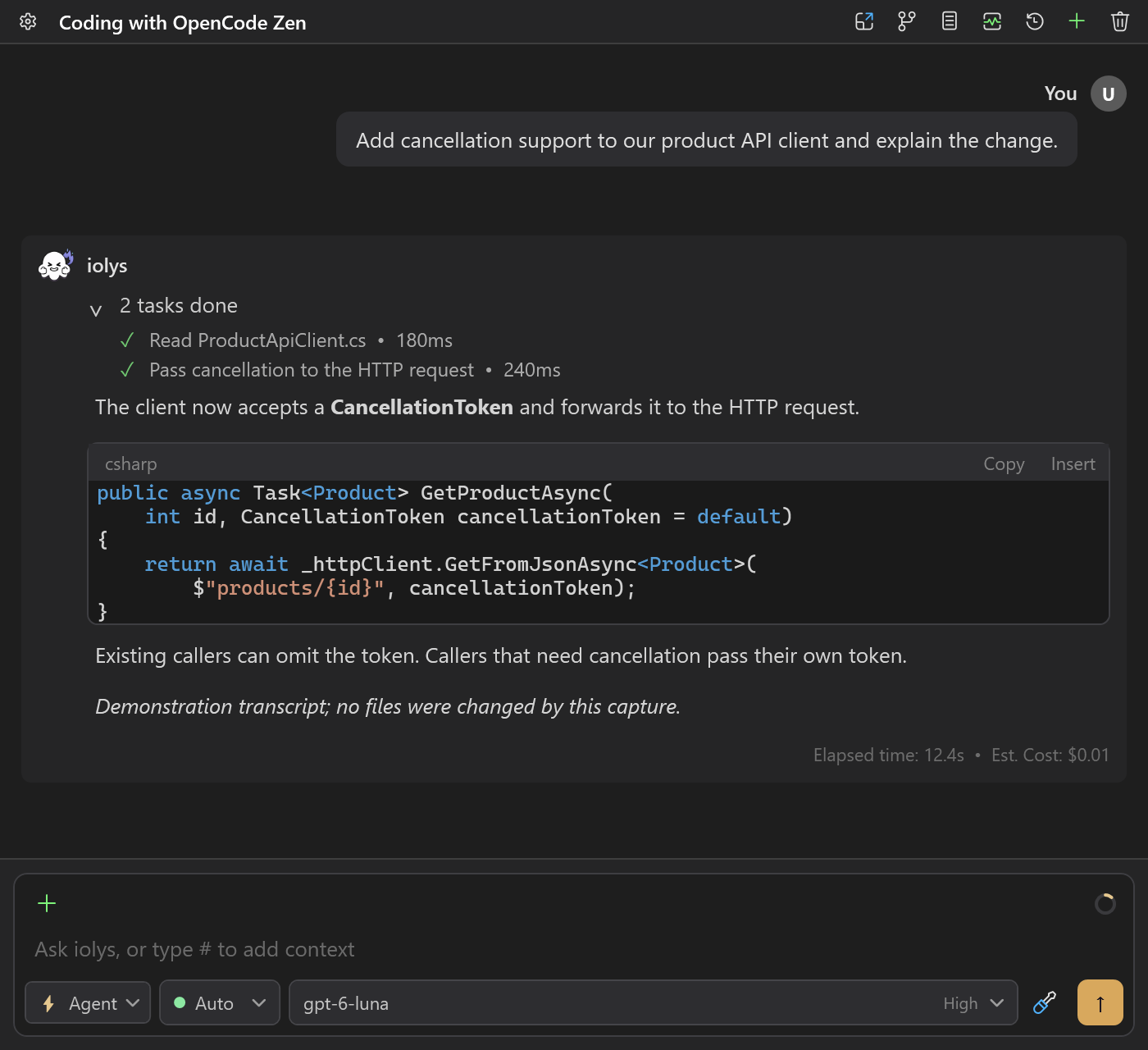
Keep your tools close.
Use supported image inputs and reasoning choices with the same iolys tools, MCP servers, skills, agent modes, and permission controls. The current catalog shows supported conversational models and their known capabilities.
Understand your estimates
Available costs.
Clear limits.
iolys estimates costs from returned tokens and known Zen prices. Turn and session totals sum the estimates available; calls with missing usage or required rates are excluded. An absent estimate does not mean a free request.
Check the OpenCode Console for authoritative charges, balance, and quotas. Fees, taxes, and billing adjustments are outside the estimate. Zen does not have an account Usage window in iolys.
Read the setup and usage guide ↗Connect OpenCode Zen
One API key. Your Zen models in Visual Studio.
Connect OpenCode Zen, choose your coding model, and return to your solution.
- 01
Sign in to the OpenCode Console, configure billing, and obtain an API key.
- 02
In Manage Models, add OpenCode Zen and enter the key. Test Connection loads the public catalog; the first message checks your key and model access.
- 03
Choose the models to show in chat, then select a model and any supported reasoning effort for your C# or .NET task.
How can I use OpenCode Zen in Visual Studio for C#?
Install the iolys extension for Visual Studio 2026 and open your C# solution. Sign in to the OpenCode Console, configure billing, and obtain an API key. In Manage Models, add OpenCode Zen and enter the key. Test Connection loads the public catalog; the first message checks your key and model access. Choose the models to show in chat, then select a model and any supported reasoning effort for your C# or .NET task. You can then ask OpenCode Zen to help with your C# and .NET code from the iolys workspace.
Is there a VSIX extension to use OpenCode Zen in Visual Studio?
Yes. iolys is a VSIX extension for Visual Studio 2026, and OpenCode Zen is one of the provider connections it ships with. Install the iolys VSIX once from the Visual Studio Marketplace, then add OpenCode Zen from the Manage Providers panel; there is no separate VSIX per provider.
Is OpenCode Zen the same as OpenCode Go?
No. Zen bills requests through your OpenCode account; Go is a separate subscription service. iolys provides separate connections and model selections for both.
Does Test Connection validate my Zen API key?
It loads the public model catalog with a nonempty stored key. Configured does not mean the key, credits, or model access have been validated. Your first message checks those.
Which models can I use?
Choose supported conversational models discovered in the current Zen catalog. Free-tier models, including Big Pickle and variants ending in -free, are excluded because access is restricted to the OpenCode client. Unknown protocols and System One/Jev structured decision models are also excluded. Refresh the catalog and select a replacement if your saved model is unavailable.
Can I use images, reasoning, and tools?
Yes, when the selected model supports them. Verified reasoning choices appear beside your prompt. iolys tools, MCP, skills, and permissions work through the existing workflow. Zen does not automatically enable provider-native web tools.
How are Zen costs calculated?
iolys uses returned token usage and known prices for the exact Zen model, including applicable cache and context tiers. Turn and session totals sum available estimates; calls with missing usage or necessary rates are excluded. Fees, taxes, and billing adjustments are not included. The OpenCode Console remains authoritative.
Can I see my Zen balance or quota in iolys?
No account balance or quota view is provided for Zen. Per-call tokens and available cost estimates are separate. Manage credit and limits in the OpenCode Console.
What is restored when I reopen a conversation?
The existing text conversation and available persisted monetary totals are restored. Old images, tool executions, signatures, and encrypted reasoning are not restored or re-executed.
Explore other providers for Visual Studio 2026
 Databricks Unity Catalog
 Gemini
 Claude
Use OpenCode Zen for C# and .NET without leaving Visual Studio 2026.
Keep your active solution, provider access, and development workflow.
Get iolys for Visual Studio 2026