
Choose your Codex model.
Select from the models exposed by your Codex connection. Model choice stays part of the conversation, inside your IDE.
 Codex
Codex  Visual Studio 2026
Use the Codex access included in your eligible ChatGPT subscription inside Visual Studio 2026. Choose your model, tune its effort, and track your usage while working on your C# and .NET solution.
Your Codex usage counts toward your plan’s allowance.
How subscription access works ↗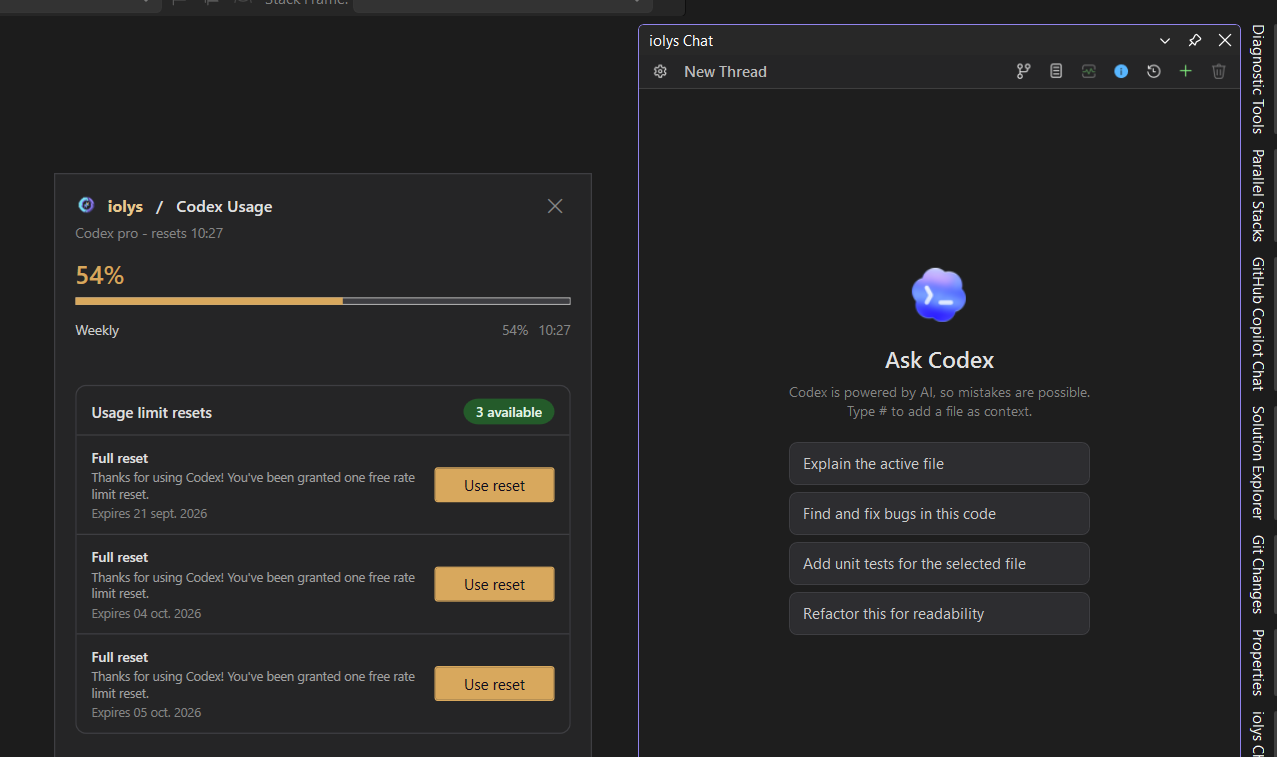
01 / Usage & resets
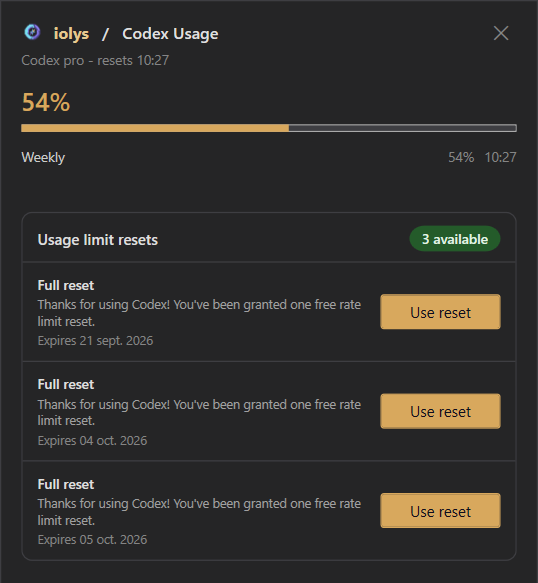
Open Show usage from the chat toolbar to see your Codex allowance without leaving your solution.
Usage and reset availability come from your Codex account. The values in this capture are an example, not an allowance included with iolys.
02 / Models, effort & Fast mode
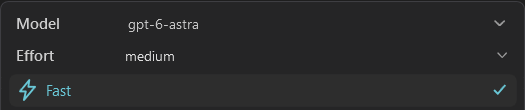
A focused fix and a complex refactor need different settings. Keep the controls next to your prompt.
“Find the cause of this failing test.”
“Review this refactor across the solution.”
Choose the model and effort for the job. Use Fast mode when shorter response times matter.Available models, effort levels, and Fast mode depend on your Codex connection and account. Fast mode can increase usage; provider conditions apply.
Read the Fast mode release notes03 / Manage Providers
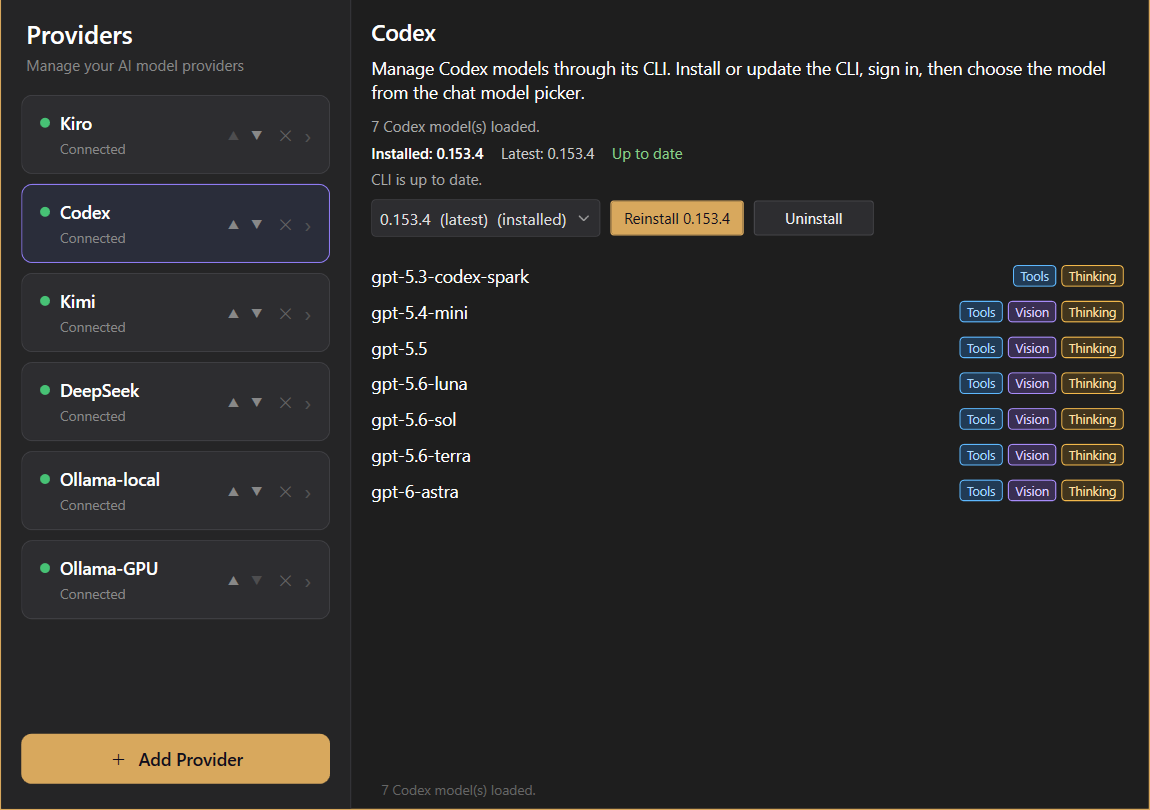
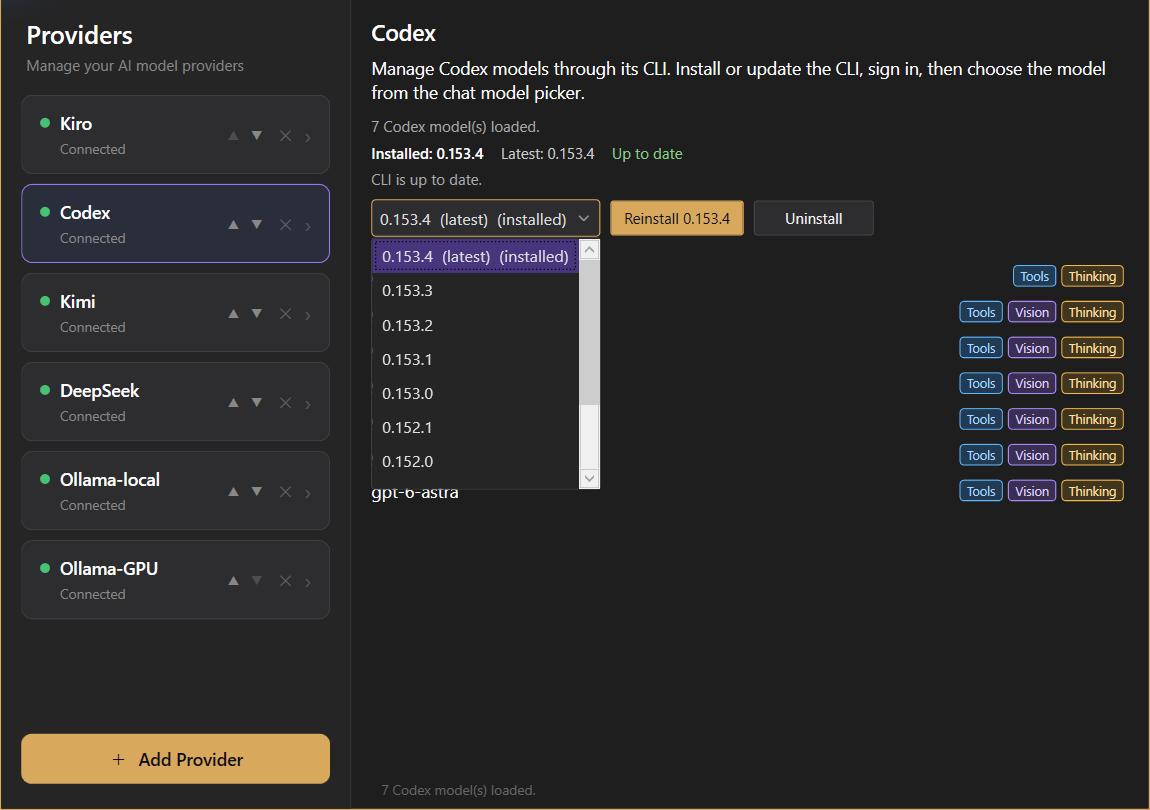
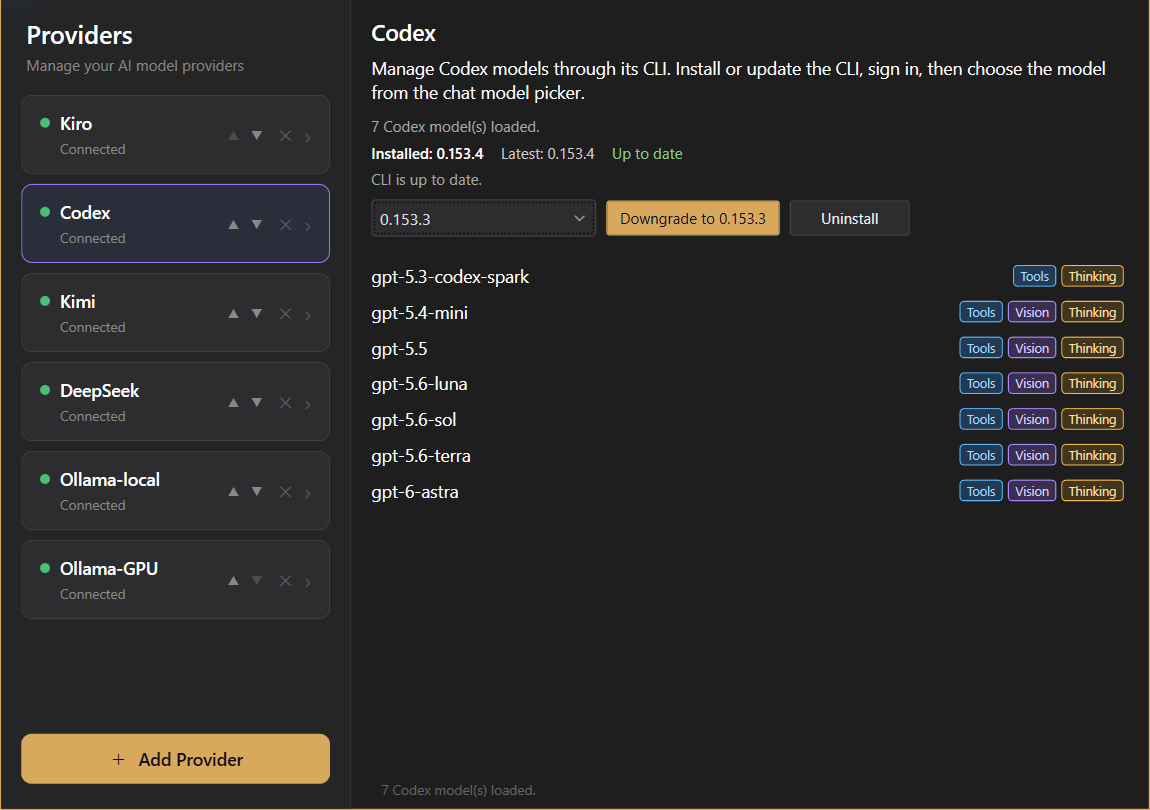
Download and manage the Codex CLI locally from Manage Providers. Installation, updates, and earlier versions are all in the same panel.
The captures show a CLI that is already up to date. Selecting an earlier release previews the downgrade action; choosing a version alone does not install it. Version availability follows the list shown in Manage Providers.

04 / Visual Studio context
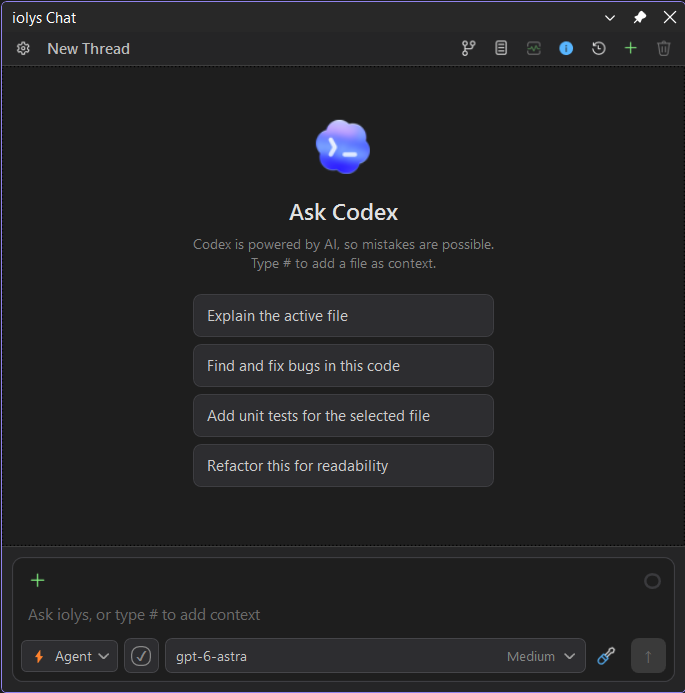
Bring the relevant code into your Codex conversation from the IDE where you are already working.
05 / Native Codex tools
Codex’s native web search and image generation tools are available in iolys. Research a question or create an image from the same conversation, inside Visual Studio.
Ask Codex to search the web and read relevant pages. Use its native web tool to investigate an issue or find documentation while working on your solution.
“Find the official documentation for this .NET API and explain how it applies to my code.”
Describe the visual you need and let Codex use its native image generation tool. Create illustrations, mockups, or image assets alongside your development work.
“Create an illustration for the empty state of my task dashboard.”
These native tools work alongside the IDE tools and conversation controls built into iolys.
Open chat history and return to an earlier task. Keep separate conversations for separate pieces of work.
Choose an agent with its own instructions and tool access. Reuse a C# reviewer or testing specialist across your work.
Explore custom agents ↗See tool activity and permission requests in the conversation, with changes available for review in your iolys workflow.
Check context window usage from the composer. The Codex integration supports automatic context compaction as conversations grow.
Connect Codex
iolys downloads and manages the CLI locally. Keep installation, versions, and updates together inside Visual Studio.
Open Manage Providers in iolys and select Codex.
Download the CLI locally from the provider panel, then follow the account sign-in flow. Manage CLI versions and updates in the same place.
Choose your Codex model and start from the active Visual Studio 2026 solution.
Install the iolys extension for Visual Studio 2026 and open your C# solution. Open Manage Providers in iolys and select Codex. Download the CLI locally from the provider panel, then follow the account sign-in flow. Manage CLI versions and updates in the same place. Choose your Codex model and start from the active Visual Studio 2026 solution. You can then ask Codex to help with your C# and .NET code from the iolys workspace.
Yes. iolys is a VSIX extension for Visual Studio 2026, and Codex is one of the provider connections it ships with. Install the iolys VSIX once from the Visual Studio Marketplace, then add Codex from the Manage Providers panel; there is no separate VSIX per provider.
Yes. Sign in with your ChatGPT account to use the Codex access included in your eligible subscription inside Visual Studio 2026. Your usage counts toward that plan’s Codex allowance. iolys provides the Visual Studio integration; your provider subscription remains with ChatGPT.
Yes, with the iolys extension. It connects the Codex CLI to a provider-independent workspace built for Visual Studio 2026.
Open Manage Providers in iolys. The Codex CLI is downloaded and managed locally from this panel, including its versions and updates. You do not need to install it separately before setting up the provider.
Yes. In Manage Providers, select Codex to compare the installed and latest CLI versions. Choose a newer available release to update, or an earlier release from the version list to display the Downgrade to action. Selecting a version alone does not install it; you apply the change with the corresponding button.
Not necessarily. The Codex CLI can use eligible account-based access; API-key options remain available when that is the route you prefer.
Yes. Open Show usage from the iolys chat toolbar to see the usage percentage, reset times, and available usage resets reported by your Codex account, including their expiration dates. Reset availability depends on your account.
Yes. Open the model options beside the prompt. iolys exposes the models, reasoning effort levels, and Fast mode options supported by your Codex connection. Availability depends on the selected model and account; Fast mode can increase usage.
Type # to reference a file, or use the context menu to attach the active document or current selection. You can then ask Codex to explain code, investigate a bug, write tests, or help with a refactor.
Yes. The integration supports Codex’s native web search and image generation tools. Ask Codex to research a question, read relevant documentation, or create an image from a description, directly in your Visual Studio conversation. These work alongside the IDE tools provided by iolys.
Yes. Provider switching is a core iolys workflow, so your Visual Studio 2026 experience remains consistent.
Explore other providers for Visual Studio 2026
Keep your active solution, provider access, and development workflow.
Get iolys for Visual Studio 2026 Kiro
Kiro Ollama
 DeepSeek