
Standard agent
Delegate a focused task without creating a custom profile. The built-in standard agent inherits the main agent's chat mode and restrictions.
Your providers. Working together.
Multi-provider subagents for Visual Studio
Move focused parts of your C# or .NET work forward in parallel. Let Claude Code with Opus coordinate, DeepSeek explore the code, and an agent with another provider implement a change. Your main agent brings their work together in one Visual Studio conversation.
Choose the right role
Delegate a focused task without creating a custom profile. The built-in standard agent inherits the main agent's chat mode and restrictions.
Trace code, locate relevant files, and inspect dependencies. Explorer works in read-only Plan mode, even while the main agent stays in Agent mode.
Reuse a reviewer, test writer, or other role defined in an .agent.md file. Its instructions and selected tools still respect the main agent's restrictions.
01 · Enable delegation
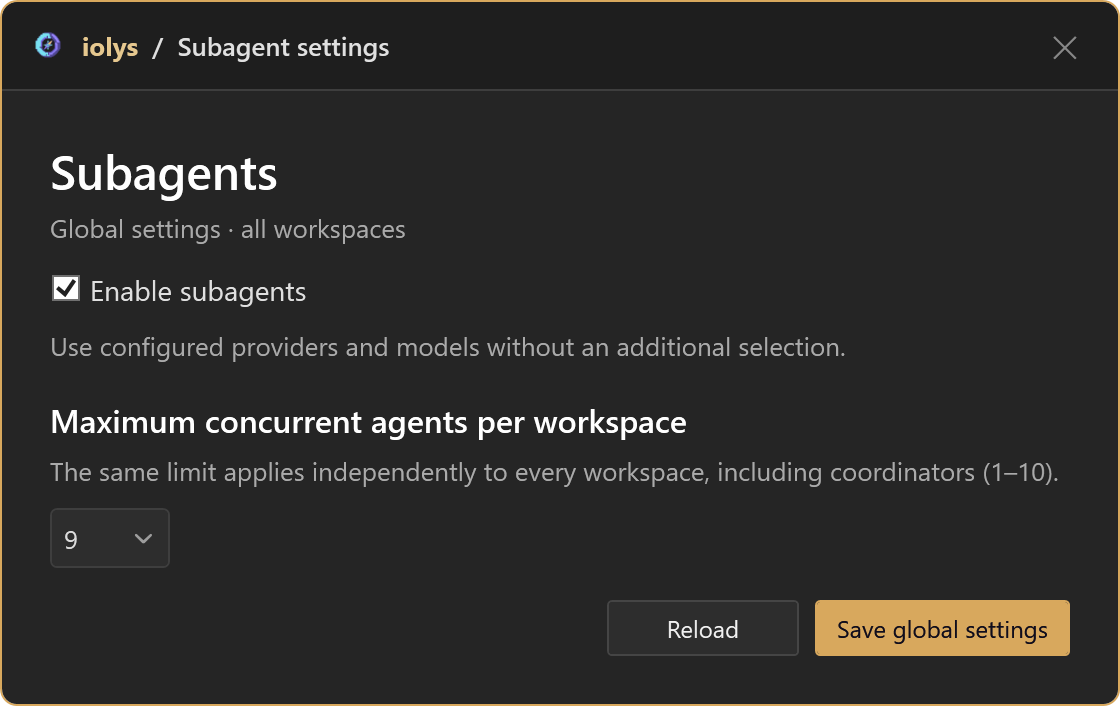
Subagents start disabled. Open Settings > Subagent settings, or follow the link from the Agents window, then enable subagents and save your settings. Your configured providers and models are available when they support tools, isolated execution, and inherited restrictions; there is no separate model allowlist to maintain.
Set the maximum concurrent agents per workspace from 1 to 10. The main agent counts toward this limit. These settings apply across your iolys installation, with each workspace counting its own occupied slots. Disabling subagents stops delegated work and queued tasks; the main conversation and history remain available.
02 · Follow the work
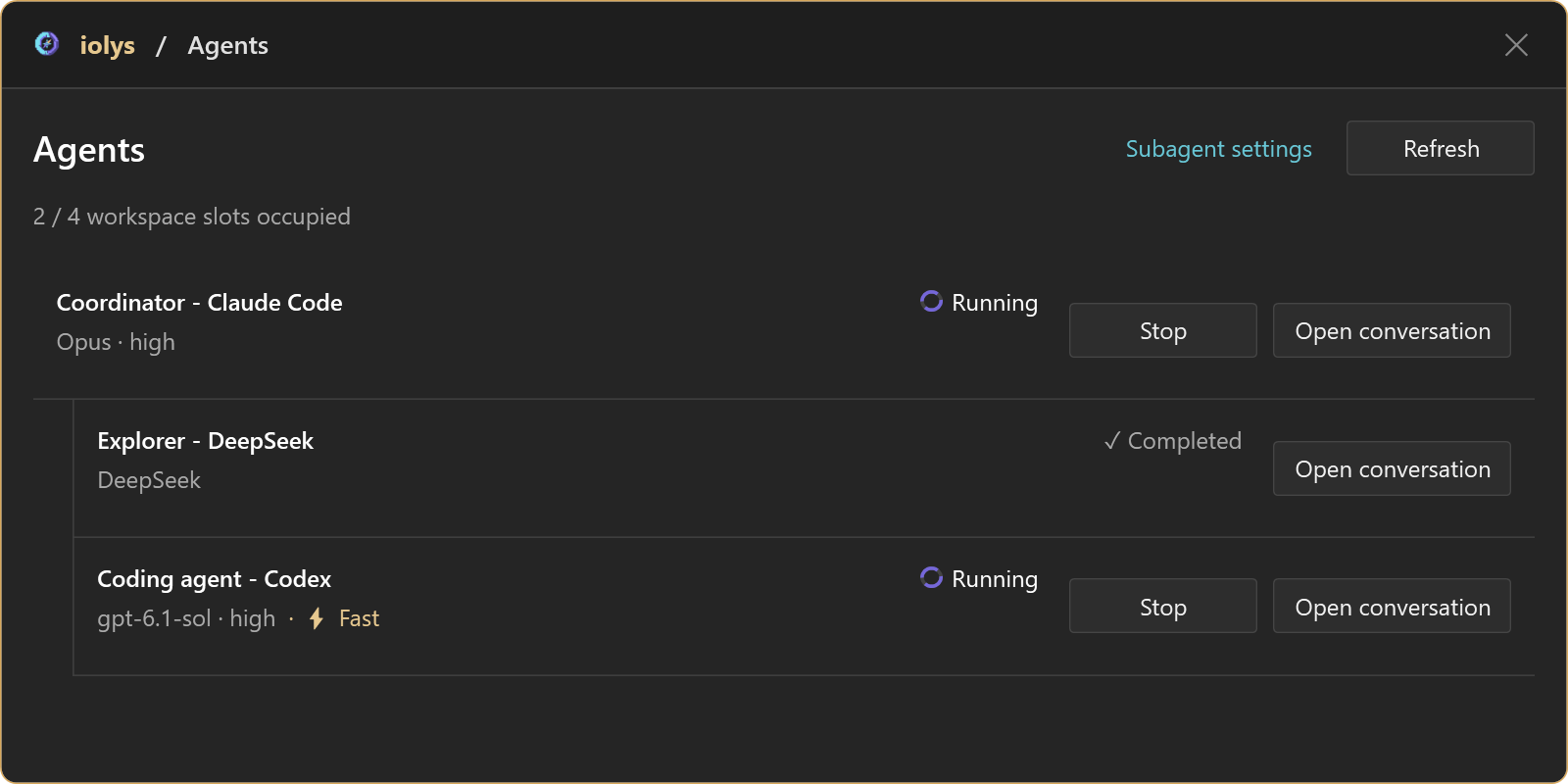
The Agents window lists the coordinator and its subagents, with their status, model, reasoning effort, and progress or errors. Open an agent's conversation to inspect its work, or stop a running agent. The coordinator can exchange messages, give follow-up tasks to an existing subagent, and collect its results.
Assignments and replies appear in the coordinating chat. Each subagent inherits the coordinator's restrictions; permission requests return to the coordinating conversation and keep the existing human approval boundary.
03 · Browse conversation history
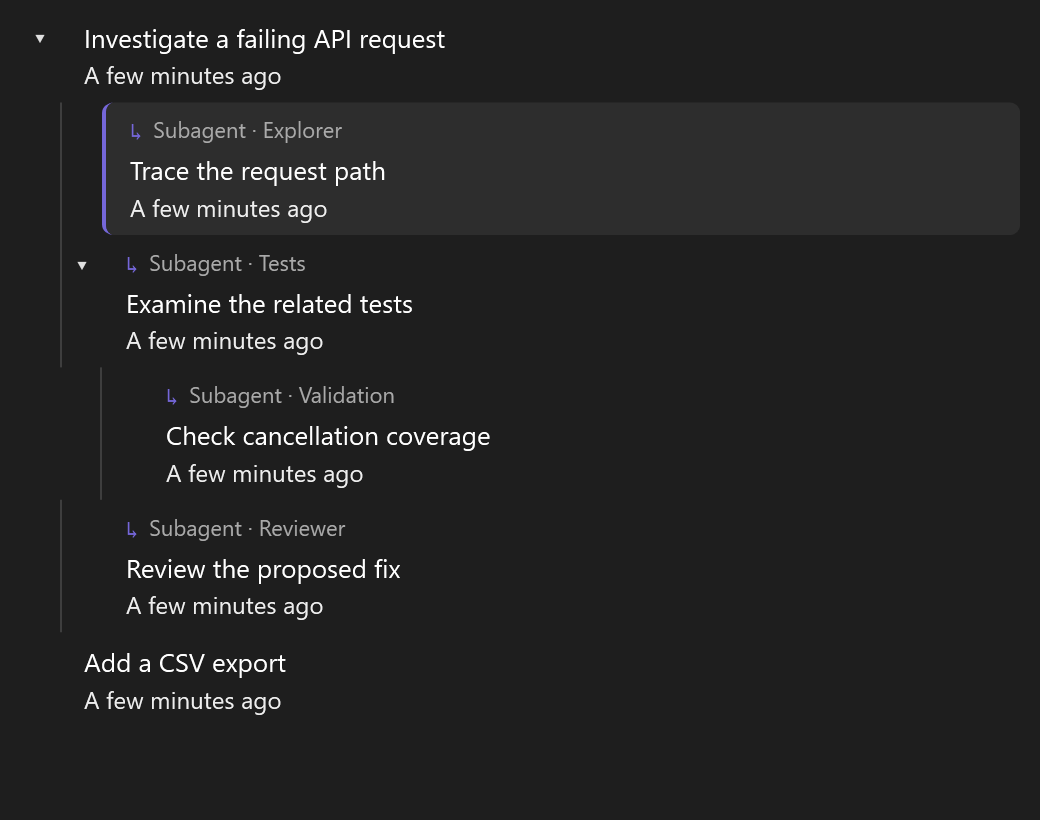
Open chat history to find the main conversation and the subagent conversations grouped beneath it. Expand the parent conversation, then select a child to read its task, messages, tool activity, and findings. You can inspect how each agent reached its result alongside the summary in the main chat.
Branches start collapsed, and the ancestors of the conversation you open expand automatically. The hierarchy is kept when history reloads, including after a restart. Child conversations are read-only for direct chat submissions; ask the coordinating agent to assign follow-up work.
04 · Inspect usage
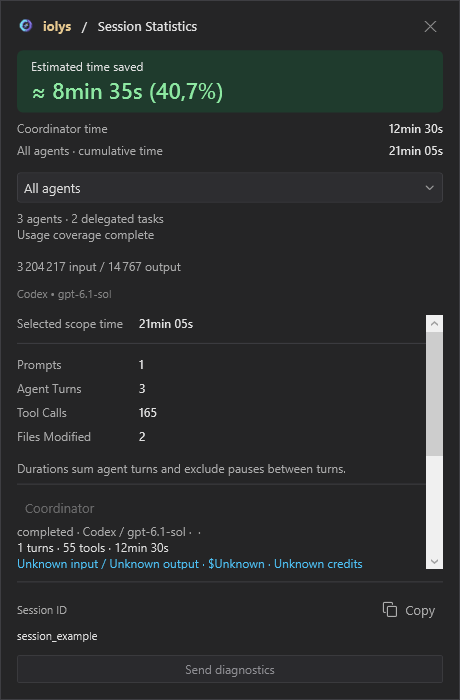
Session statistics let you inspect the whole agent tree or select an individual agent. Review delegated tasks, agent turns, tool calls, modified files, and available provider usage. The coordinator's processing time and the cumulative processing time of all agents are shown separately.
The displayed time saved is an estimate based on cumulative agent processing time minus coordinator time. It is not a measured reduction in elapsed task time, and sequential delegation can overstate the gain. Missing measurements remain unavailable. The figures in this screenshot illustrate the interface, not a performance promise.
Plan the scope
Subagents collaborate within the same workspace; spawning one does not create a separate Git worktree or branch. Give them focused scopes, such as investigating different parts of a failure. For unrelated changes that need separate files and build state, use parallel workspaces with their own worktrees and Visual Studio instances.
Use subagents in your Visual Studio 2026 or 2022 workflow, with a compatible provider and model.
Install iolys for Visual StudioHave a delegation workflow to share? Join us on Discord.