
iolys 2026 October Update 4: your Grok account in Visual Studio
Use Grok Build in Visual Studio with your Grok account, choose reasoning effort, and follow reported costs with iolys 2026 October Update 4.
Grok joins iolys in Visual Studio 2026. Connect your Grok account, choose a model and reasoning effort, and work on your C# and .NET solution with iolys tools. This update also improves model switching, provider sign-in, shell commands, and chat recovery.
The Grok screenshots show actual product views rendered offline with demonstration data. Account state, conversation text, costs, and timings are illustrative. Available models and usage limits depend on your account.
 Use your Grok account in Visual Studio
Bring Grok Build into the IDE where your solution is already open. Sign in with your Grok account and use iolys tools to read and edit code, run builds, and run tests under your selected permission mode.
iolys installs and manages the Grok Build CLI locally. Access, model availability, allowance, and billing follow your Grok account and plan; iolys does not include Grok usage.
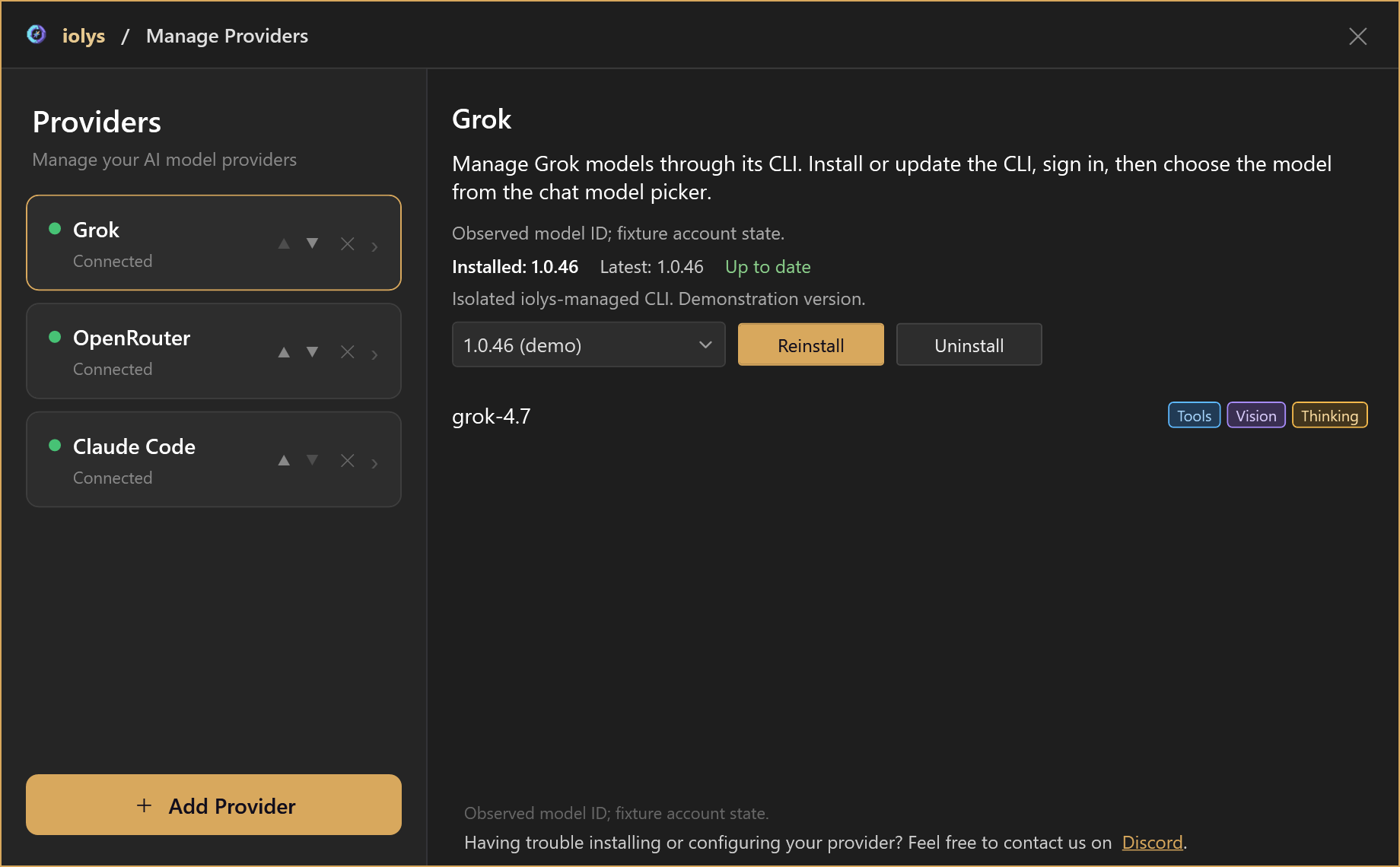
Open Manage Providers → Add Provider → Grok. Install the managed CLI, choose Connect, and sign in with your Grok account in the browser. Refresh the models, select the ones you want in your chat picker, and start a conversation.
See the Grok page for setup, capabilities, and usage details. Grok Build is a separate connection from Groq and from Grok models accessed through an API gateway.
Choose your reasoning effort and follow reported costs
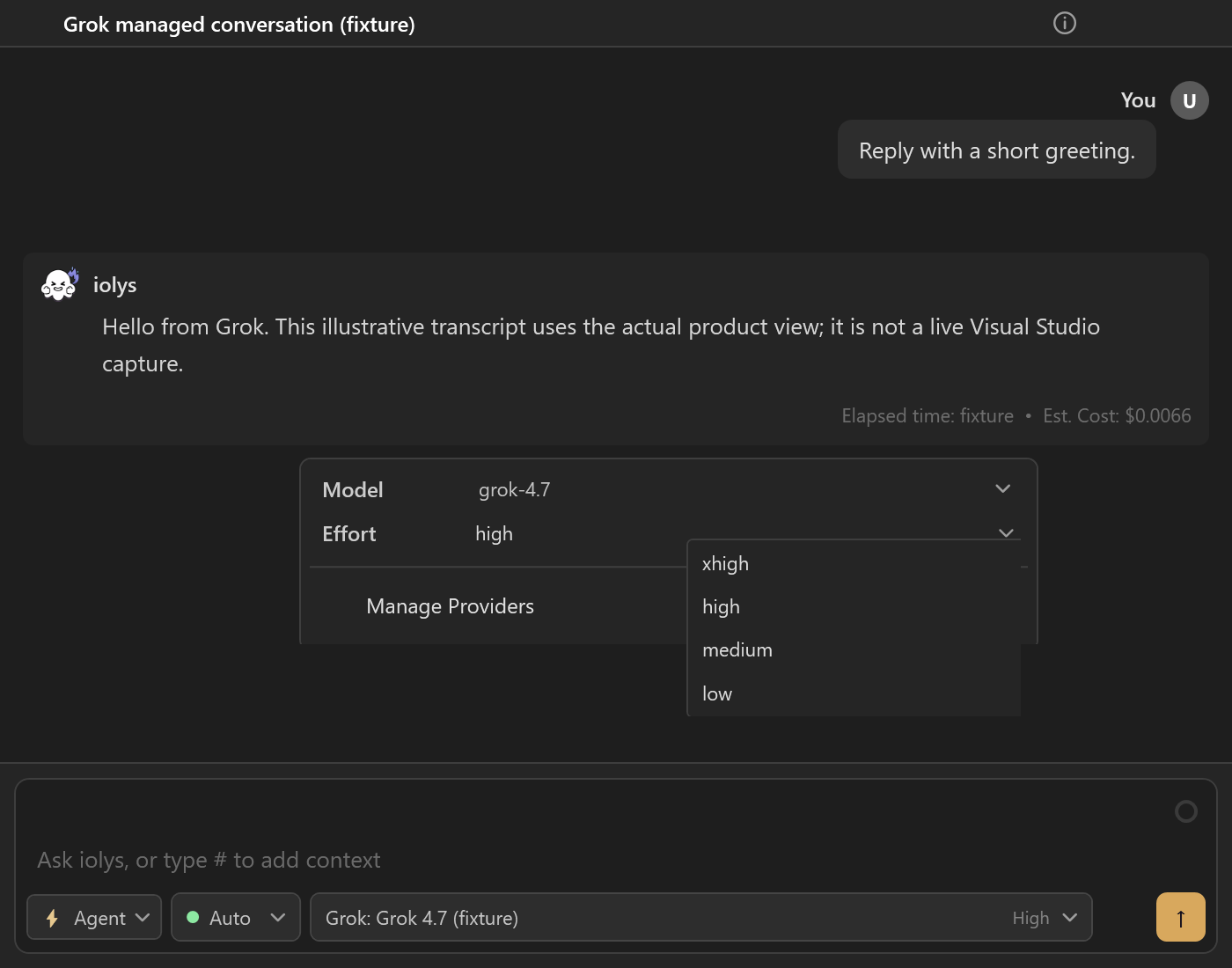
Choose the effort levels your selected model supports beside the prompt. For example, grok-4.7 offers xhigh, high, medium, and low, so you can adjust the depth of reasoning to the task. Grok confirms the model and effort before your prompt is sent.
Grok's native Web Search and Fetch URL tools are available in the conversation. If a completed search returns no citations, iolys displays a warning so you can tell that the result has not been verified against retrieved pages.
Each turn shows the cost and tokens reported by Grok, helping you follow usage beside the answer. Open Show usage for account information and the remaining included allowance when Grok reports it. Missing allowance data is shown as unavailable. Your Grok account remains the reference for actual charges and limits.
Also improved
- Visible model changes · A message in the conversation confirms when you switch models, making it easier to follow which model handled each part of the task.
 Simpler Kiro sign-in · Choose Connect to open the managed CLI's sign-in flow when needed. Existing authentication is reused, saving a separate manual login step.
- PowerShell 7 commands · Shell scripts now use a PowerShell 7 runtime managed by iolys, with UTF-8 output for clearer command results. The first shell command installs it and requires an internet connection; later commands reuse it.
- Work in another directory · After you approve access, managed CLI commands can target another worktree or repository, helping you continue a task across directories.
- Git updates · Amend the last commit or stage changes from selected paths with
git add -A, using the applicable repository permissions to avoid extra confirmations for supported operations.  Clearer Codex reconnection · Revoked or expired credentials prompt you to reconnect, helping you recover access when a saved sign-in is no longer valid.
- Provider connections · Disconnect a CLI provider from its panel while keeping its configuration, so you can reconnect without adding it again.
- More reliable provider setup · CLI updates retry when Windows temporarily locks files, and pasted API keys are cleaned of spaces and invisible formatting to reduce setup errors.
Chat and usage fixes
This release also includes fixes from recent hotfixes.
- Interrupted conversations · Partial answers survive Stop or server shutdown, and Stop remains available when a queued turn starts, helping you keep the work already received.
- Session recovery · Resume a conversation from another Visual Studio instance after its previous owner switches solutions, provided no provider work is still running. Reconnection also waits for session subscriptions to be restored.
 Balance after web requests · Search and Fetch no longer interfere with the balance lookup, helping you check your remaining credit after using web tools.
- Unavailable usage · Missing usage data is shown as unavailable instead of a zero balance, so a failed lookup does not look like exhausted credit.
- CLI approvals · More managed CLI commands support Approve for session, so you can avoid repeated confirmations for the same integration and directory. Full Access is respected, while explicit Always ask controls still require confirmation.
Get iolys from the Visual Studio Marketplace.
Help shape the next update
Tried Grok in your Visual Studio solution? Join us on Discord to share your feedback, ask questions, or suggest what you would like to see next in iolys.