
iolys 2026 October Update 1: GitHub support, Visual Studio themes, and clearer worktrees
Work with GitHub from your chat, follow your Visual Studio theme, see worktree and PR status, and copy messages more easily in iolys.
This update brings native GitHub support to iolys, makes worktree status easier to understand, and follows your Visual Studio theme. You can also copy chat messages in one click and work with fewer permission prompts in Auto mode.
 Native GitHub support
Ask iolys to read issues, check pull requests, or create and update a PR from your conversation. You can work with GitHub without leaving Visual Studio.
When iolys detects a GitHub repository, it offers to install the GitHub CLI and connect your account. Activate the integration and sign in through your browser; iolys handles the CLI installation for you.
Clearer worktree status
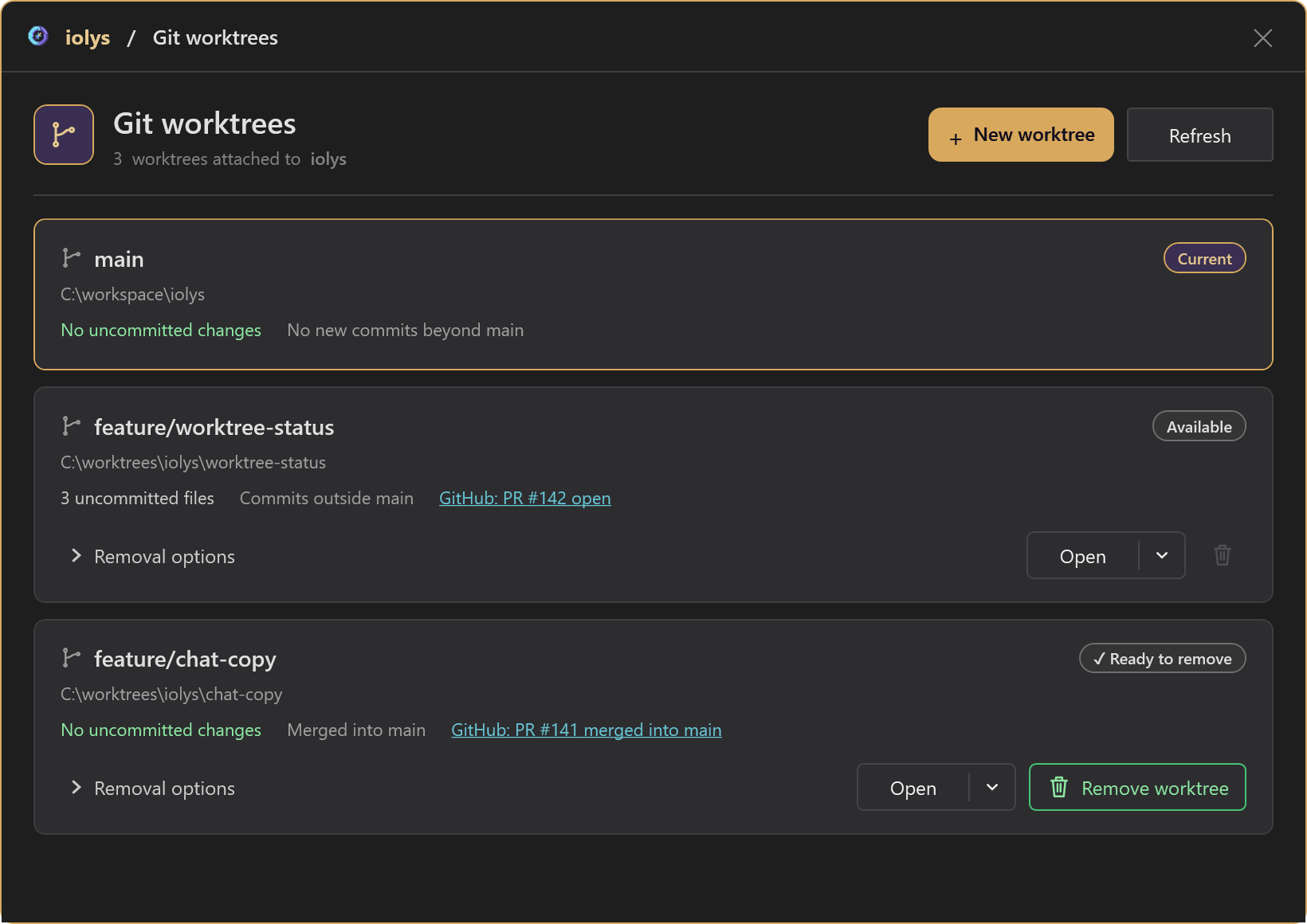
Worktree cards now show whether you have uncommitted files, whether your branch has commits outside the main branch, and whether those commits have been merged. You can tell which worktrees still have work to finish and which are ready to remove.
For GitHub repositories, the linked pull request appears directly on the card, including its open or merged status. Open it from the worktree list to check the review or merge result.
 Follow your Visual Studio theme
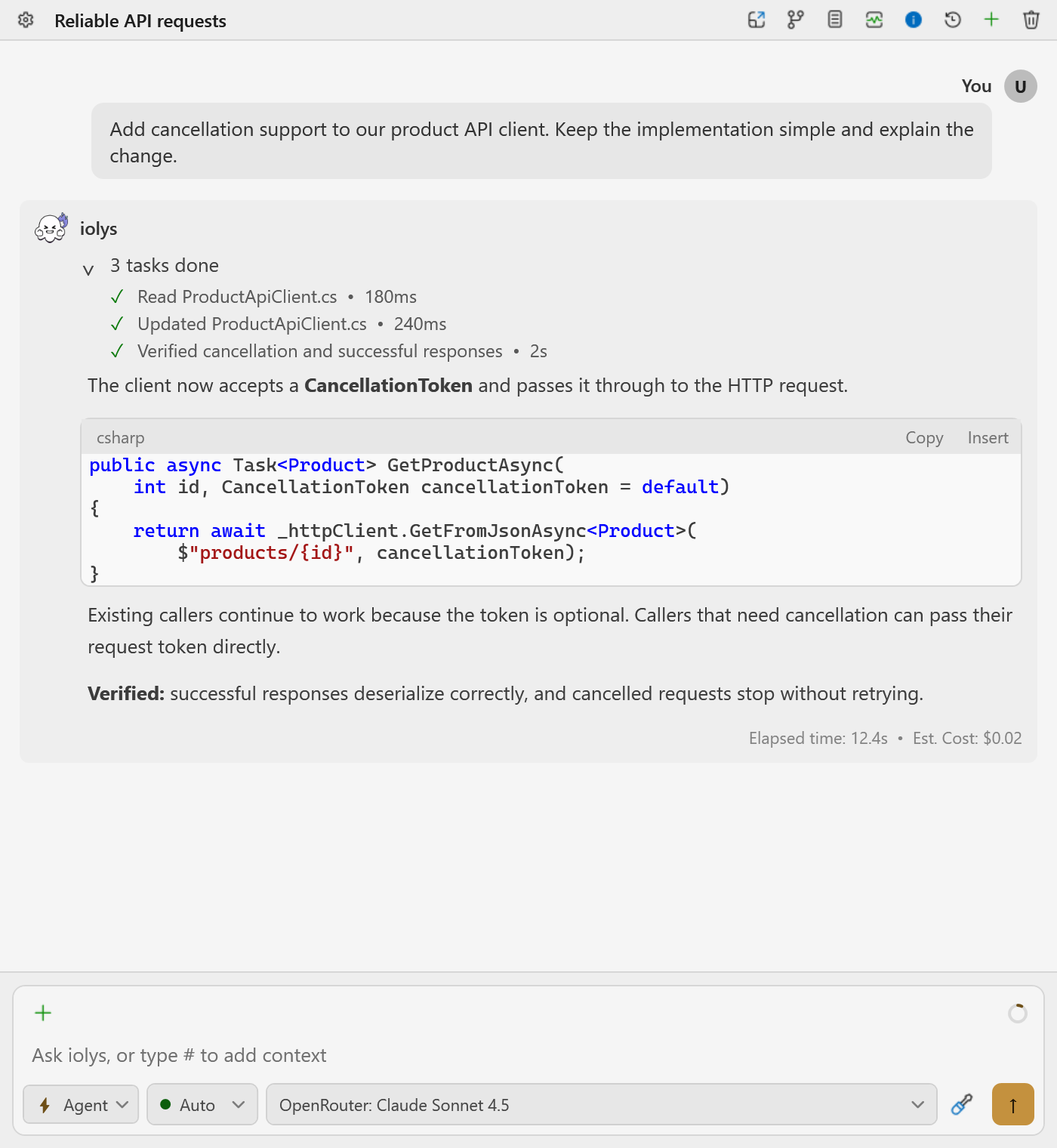
iolys now follows the active Visual Studio theme, including light, dark, and custom themes. Chat, code blocks, menus, and settings adapt together, so you can keep the appearance you prefer throughout your workspace.
Change your Visual Studio theme and iolys updates with it.
Copy a message in one click
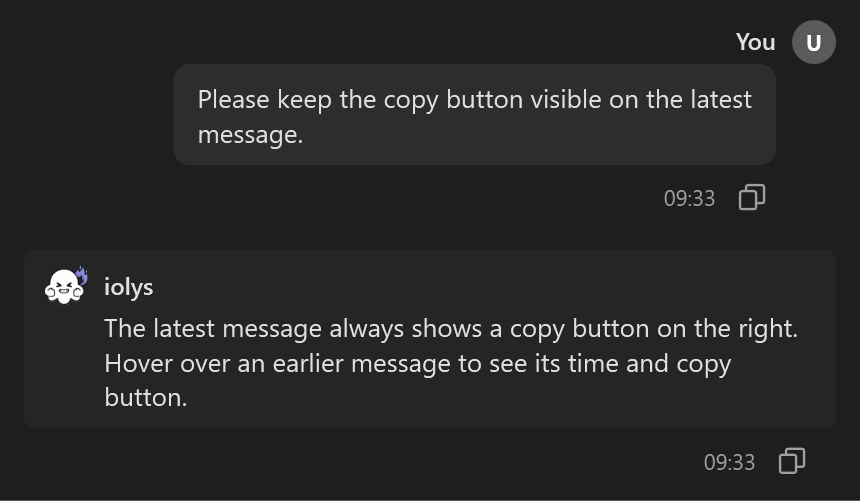
Copy your prompt or an iolys answer with the message's copy button. The latest message keeps its button visible, so you can reuse an answer without selecting the text.
Hover over an earlier message to reveal its copy button and time. This also makes it easier to see when a message was sent while reading your conversation history.
Also improved
- Switch agents without starting over · Change the selected agent between turns while keeping the same conversation and history. The new agent's instructions apply to your next messages.
- Add selected code as context · Select code in the Visual Studio editor, type
#in your message, and choose Selection to attach that snippet. This helps you focus a question on the code you want iolys to review. - Fewer permission prompts in Auto mode · More routine operations run without interrupting your conversation. You can also allow supported repository writes for the current session to avoid approving each step of the same Git workflow.
- A clearer model picker · The provider header stays visible as you scroll through its models, so you can see which provider you are choosing from in a long list.
- Copy your session ID · Session statistics now let you copy the session ID in one click, making it easier to identify the conversation when reporting an issue.
- More reliable worktree opening · Finding a solution no longer fails just because a directory cannot be accessed, so you can open the worktree's available solution.
Get the update from the Visual Studio Marketplace.
Thank you
Thanks to @americanslon for your feedback on Visual Studio themes. A big thank you to @Principante, @66666666666, and Guillaume as well!
Help shape the next integration
Do you use GitLab or Azure DevOps? Tell us on Discord how you work with them and what you would like to do from iolys. You can also share feedback on GitHub support, ask questions, or suggest improvements for the next update.