
iolys 2026 October Update 2: OpenCode Go, OpenCode Zen, and Ollama improvements
Connect OpenCode Go and Zen in Visual Studio. Manage Ollama memory, follow model downloads, and see generation speed with iolys October Update 2.
OpenCode Go and OpenCode Zen join iolys as dedicated connections. Use your Go subscription or Zen pay-as-you-go account in Visual Studio, with your solution and tools close at hand. Ollama also gains a memory panel, visible download progress, and generation performance details.
Screenshots show product controls with demonstration data. Models, conversations, usage, costs, memory values, and timings are examples.
 OpenCode Go and Zen in Visual Studio
Connect OpenCode with your API key to use its coding models without leaving Visual Studio. Choose which models appear in your chat picker, adjust reasoning effort where supported, and use iolys tools or image inputs with capable models.
- Go subscription · Use your OpenCode Go subscription. Open Usage to check your five-hour, weekly, and monthly allowances and reset times, including usage from other clients.
- Zen pay-as-you-go · Use your Zen account and see estimated turn and session costs when token usage and Zen prices are available, helping you follow your spending.
Zen totals may exclude calls with missing usage or pricing. Check the OpenCode Console for your balance and actual charges. Zen's free-tier models are unavailable in iolys.
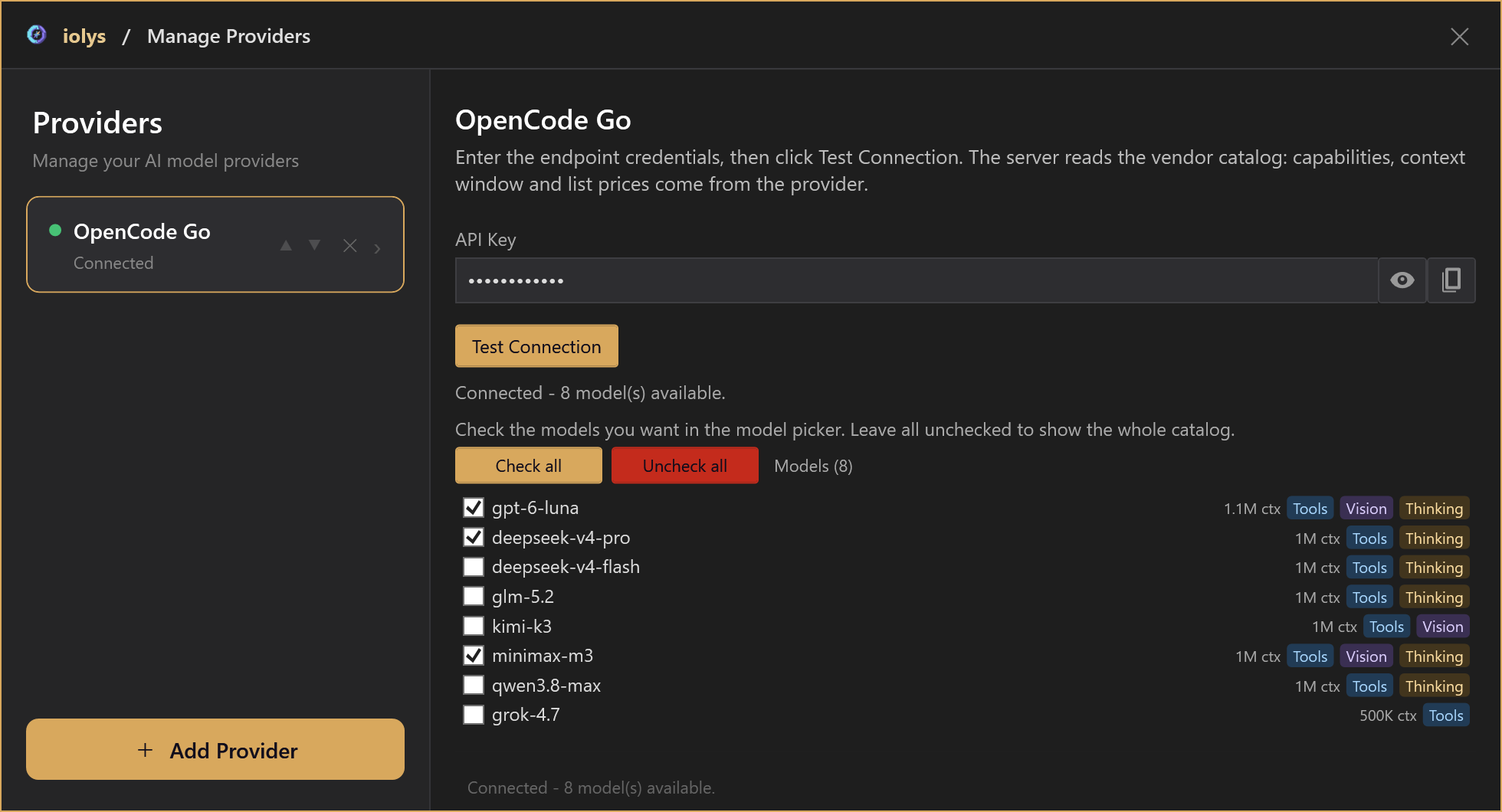
Open Manage Providers → Add Provider and choose OpenCode Go or OpenCode Zen. Enter your API key, choose Test Connection, and select your preferred models. Go and Zen use separate connections. For Zen, the test loads the public catalog; your first message checks the key and model access. See the OpenCode Go guide or OpenCode Zen guide for details.
 See and manage models in memory
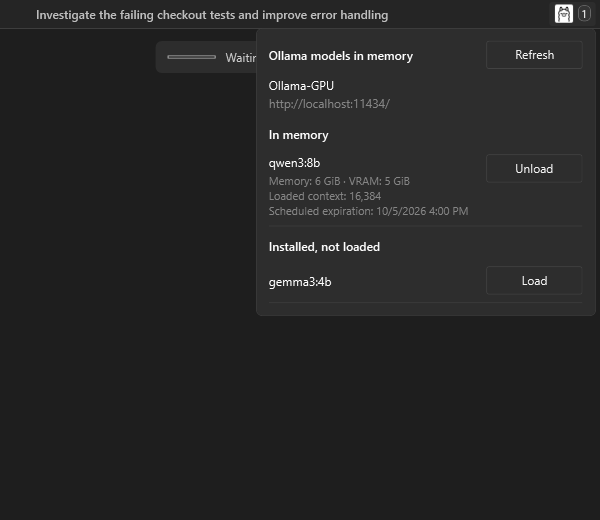
Select the Ollama icon in the chat header to see which local models are loaded on the conversation's Ollama server. The badge counts loaded models, and the panel shows their memory, VRAM, context, and scheduled expiration.
Load an installed model before using it, or unload one to free RAM and VRAM without deleting its files. Local models stay loaded for two hours after the last request, helping you avoid repeated loading between nearby turns. Cloud models are excluded from the local memory panel.
Follow model installation
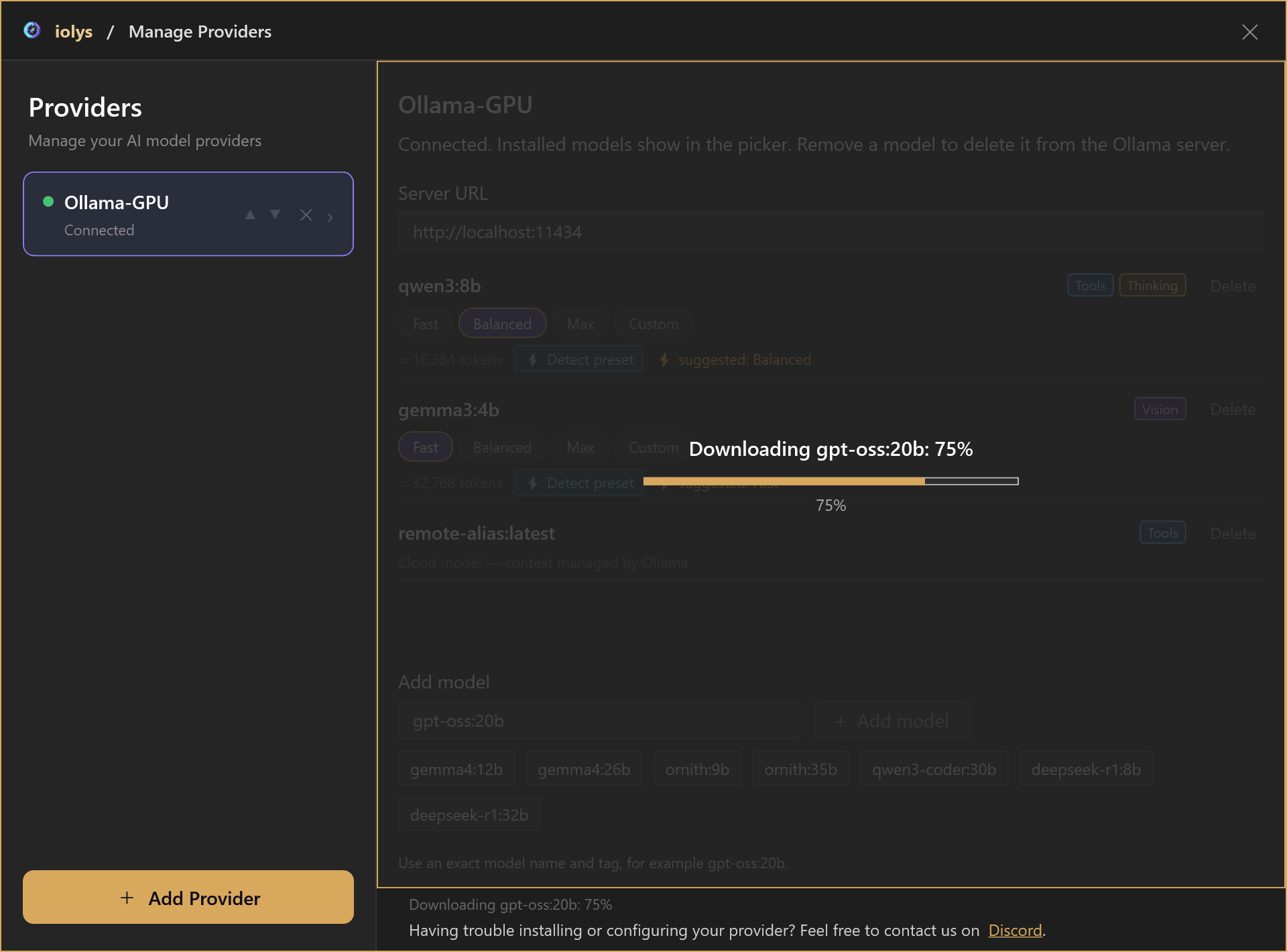
Model installation now shows download progress and the current stage, so you can see that a large download is still moving. After downloading, iolys detects the context preset and refreshes the installed models; a transfer reaching 100% can still be followed by these steps.
If installation fails, a visible error explains the problem and keeps your model name available, making it easier to correct it and retry.
Understand response performance
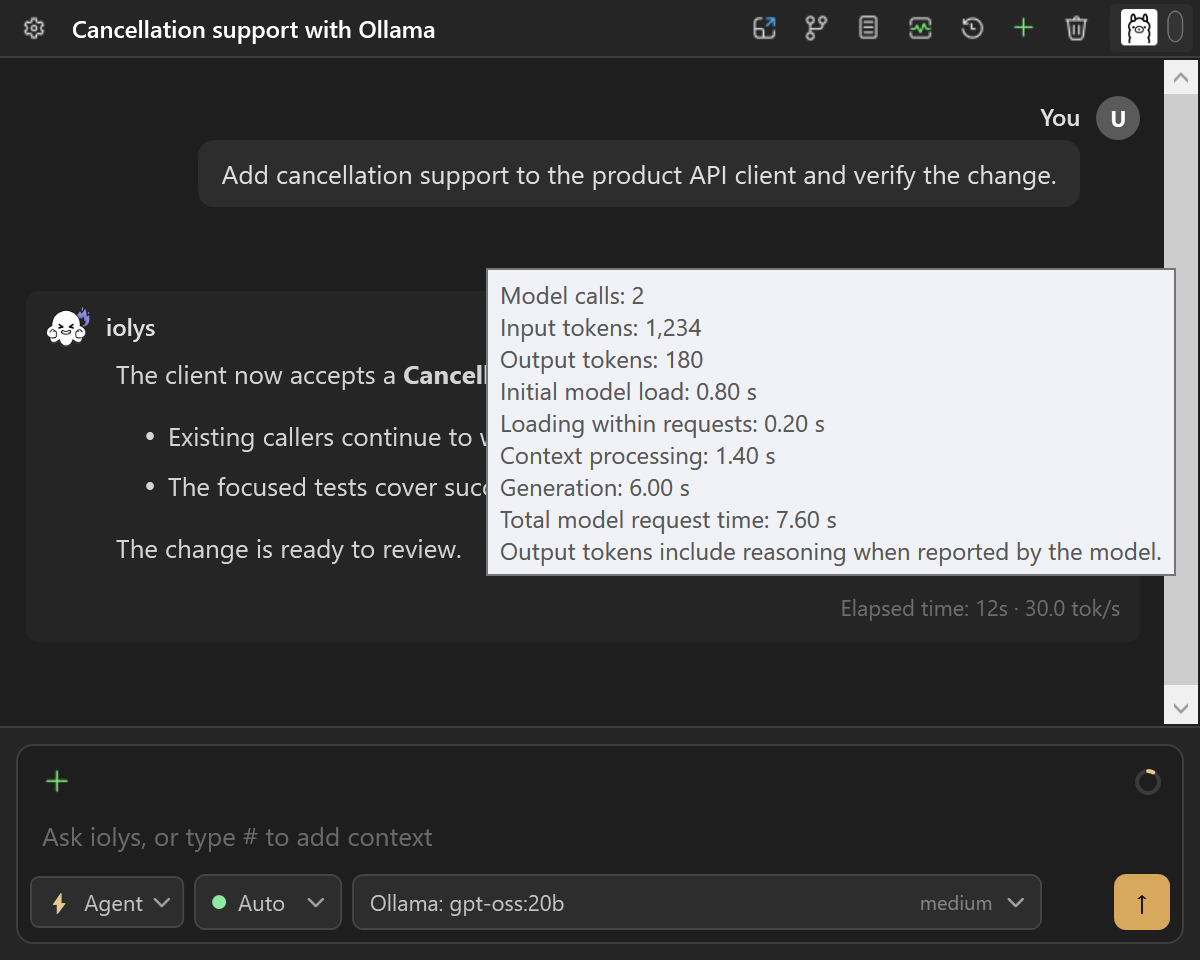
The turn footer now shows generation speed in tokens per second when Ollama provides the required metrics. Hover over it for token counts and time spent loading the model, processing context, and generating the response, so you can see where the waiting happens.
Also improved
- Reasoning effort · Choose and save the named reasoning levels reported by your model, so you can reuse the effort you prefer for your next turns.
- Clearer cloud model handling · Detected cloud models and remote aliases use Ollama-managed context and omit local memory controls, helping you choose settings that apply to the model.
See the public Ollama documentation for setup and memory controls. Get iolys from the Visual Studio Marketplace.
Help shape the next update
Tried OpenCode Go, OpenCode Zen, or the new Ollama controls? Join us on Discord to share your feedback, ask questions, or suggest what you would like to see next in iolys.