
iolys 2026 September Update 5: better OpenRouter support
Find OpenRouter models more easily, use web tools in your chat, and track account credits and API key budgets with iolys 2026 September Update 5.
This update makes OpenRouter easier to use in Visual Studio. Compare models, choose the tools available in your conversation, and see your account credits and API key budget in iolys.
Screenshots show the iolys interface with demonstration data. Model names, prices, usage amounts, and conversation content are examples.
 Find the right OpenRouter model
OpenRouter now has a dedicated model discovery panel. Search by name or description, filter by price, context size, or tool support, and sort the results to compare models without leaving Visual Studio. Each model card shows its capabilities, context size, and available input and output prices.
Select the models you want in your conversation picker. The catalog uses your account's available models and checks your credits and API key limit. When a confirmed balance or limit only allows free models, discovery shows those options to help you avoid selecting a paid model you cannot use.
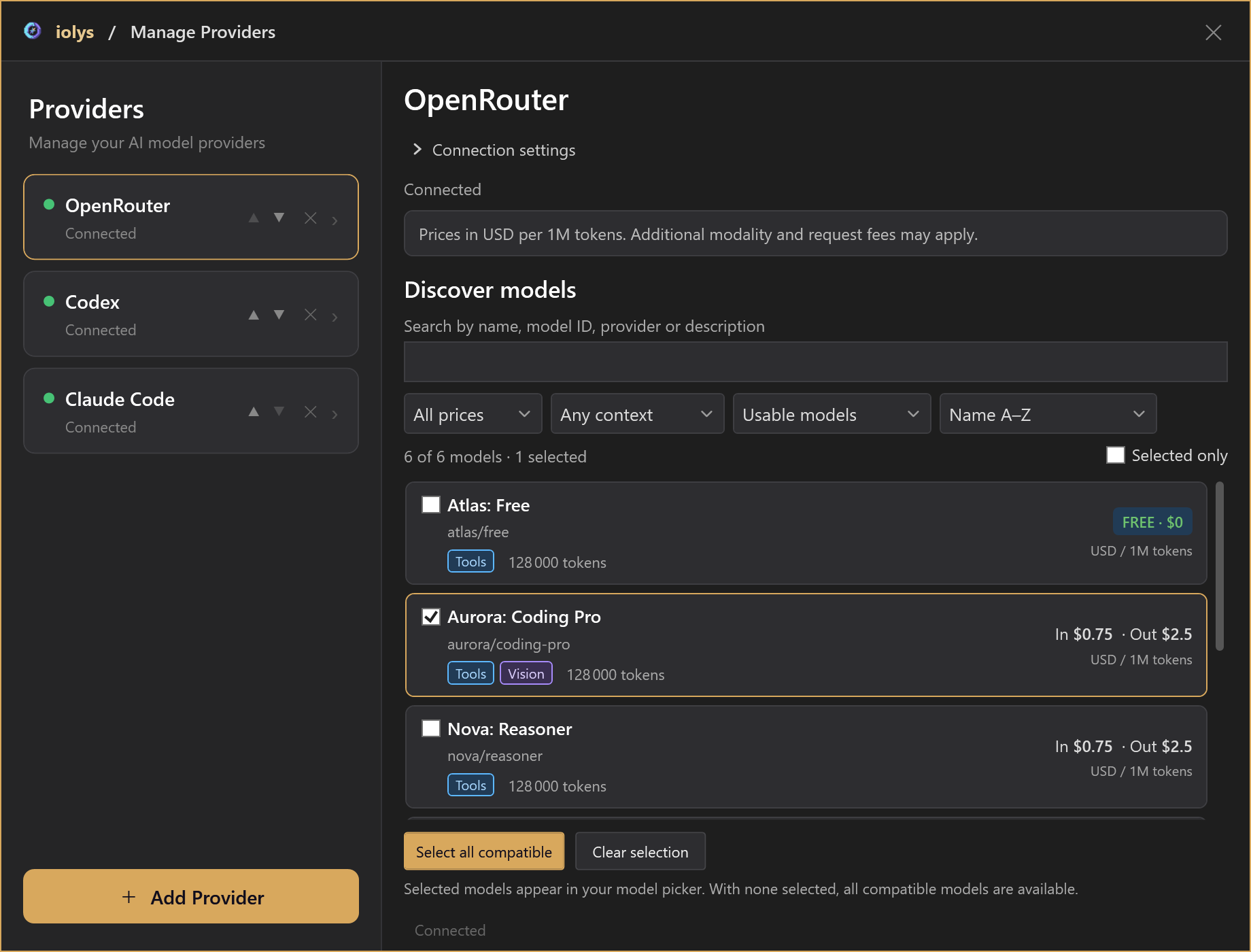
Open Manage Providers, choose Add Provider, and select OpenRouter. Enter your OpenRouter API key, then choose the models you want to use. For an existing connection, use Test Connection to refresh the catalog after changing your credits or key limit.
Search and read the web from your chat
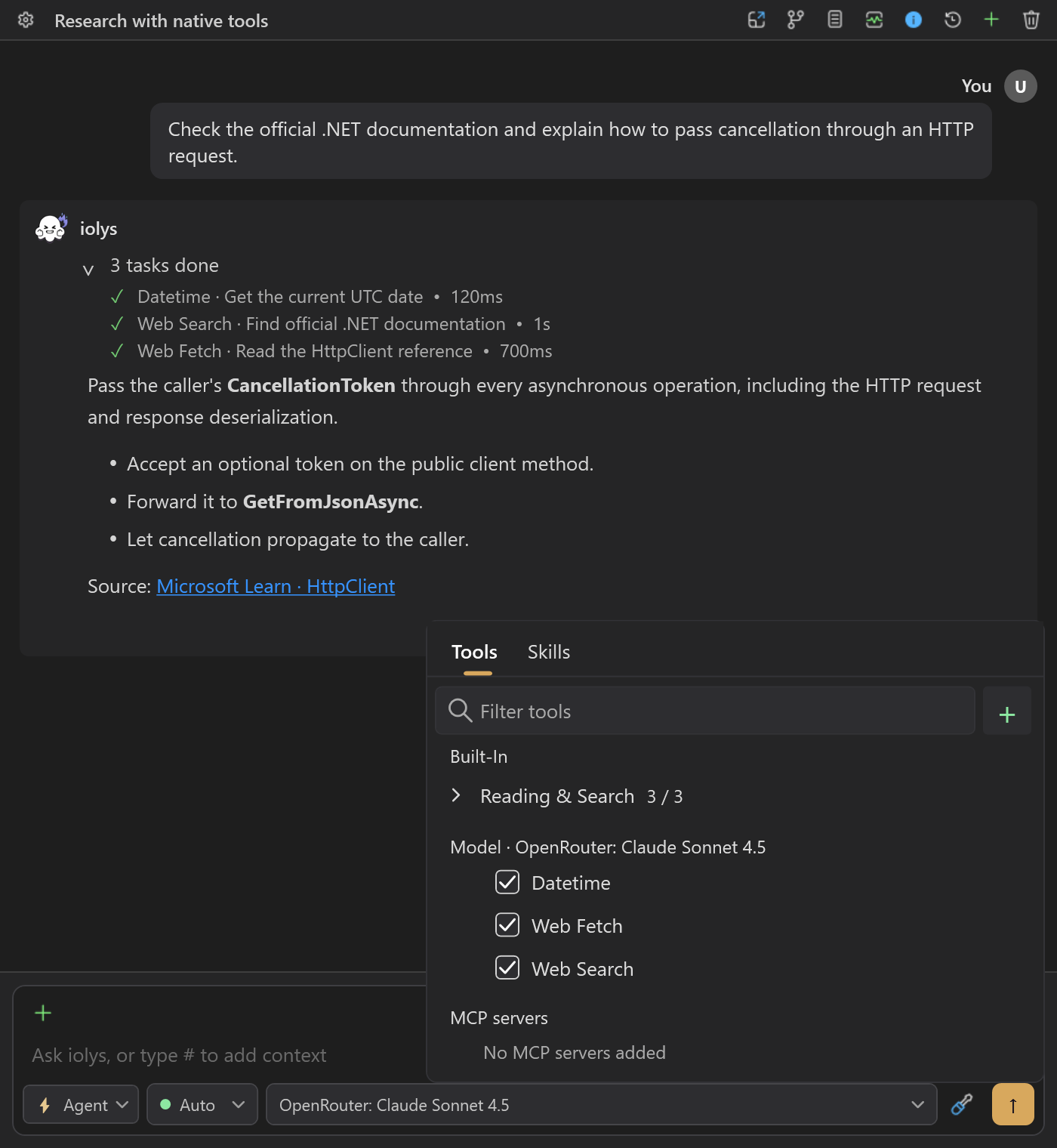
Use Web Search to find current information, Web Fetch to read a web page, and Datetime to check the current date and time. You can look up documentation while working on your code in the same conversation.
Enable or disable each tool independently in the model tools menu. Your custom agent's tool choices are respected too. These tools require a model with tool support; OpenRouter's server tools are in beta and may incur additional charges.
See your credits and key budget
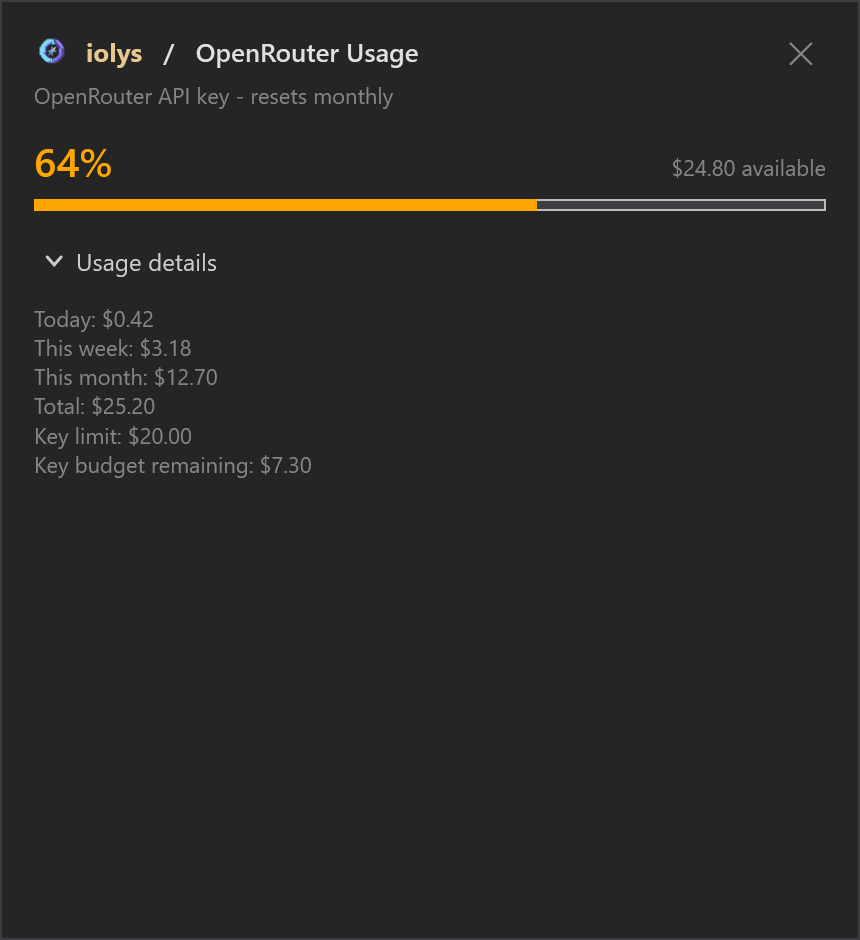
Open Usage to see your available account credit and the configured API key's spending for today, this week, this month, and in total. If the key has a spending limit, you can also see its remaining budget and reset period when reported.
Account credit and the key budget are shown separately, so you can see which allowance is running low. Missing usage information is marked as unavailable instead of appearing as zero.
Also improved
- Reasoning effort · Choose from the reasoning levels reported for your selected model, so you can adjust its effort where supported.
- Conversation costs · Conversation totals now use costs reported by OpenRouter, helping you track spending across a session. Totals may be incomplete when the API does not return cost information.
- Clearer response errors · If OpenRouter reports an error during a response, iolys keeps the text already received and shows the error, so you can read the partial answer and understand why it stopped.
See the OpenRouter guide for setup and supported features.
Help shape the next update
Tried the new OpenRouter features? Join us on Discord to share your feedback, ask questions, or suggest what you would like to see next in iolys.