
iolys 2026 September Update 4: your Claude subscription in Visual Studio
Use your Claude subscription in Visual Studio, enjoy an improved full-screen chat, and send session diagnostics to support with iolys 2026 September Update 4.
This update brings your Claude subscription to iolys, an improved full-screen chat, and a command to send session diagnostics to support, along with fixes for model switching, chat scrolling, and notifications.
 Your Claude subscription in Visual Studio
Connect your eligible Claude subscription through Claude Code to work with Claude directly in Visual Studio, without configuring an API key. Ask questions about your code, make changes, and run tools with your iolys permissions.
Search the web and read web pages from your conversation. Open Usage to see your subscription quotas and reset times, so you can check how much usage you have left.
Your project's .claude/skills are available with Claude too. Reuse your existing instructions without copying them into iolys. This includes project skills; personal Claude skills and plugins are not imported.
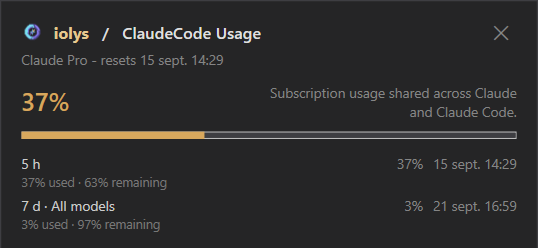
Open Manage Providers, add Claude Code (CLI), and install its managed CLI. Choose Connect, sign in with your Claude subscription, then select a Claude model for your conversation.
Improved full-screen chat
Full-screen mode now shows your conversation history in a sidebar beside the chat. Find and switch between conversations more easily while keeping the chat and message input in view.
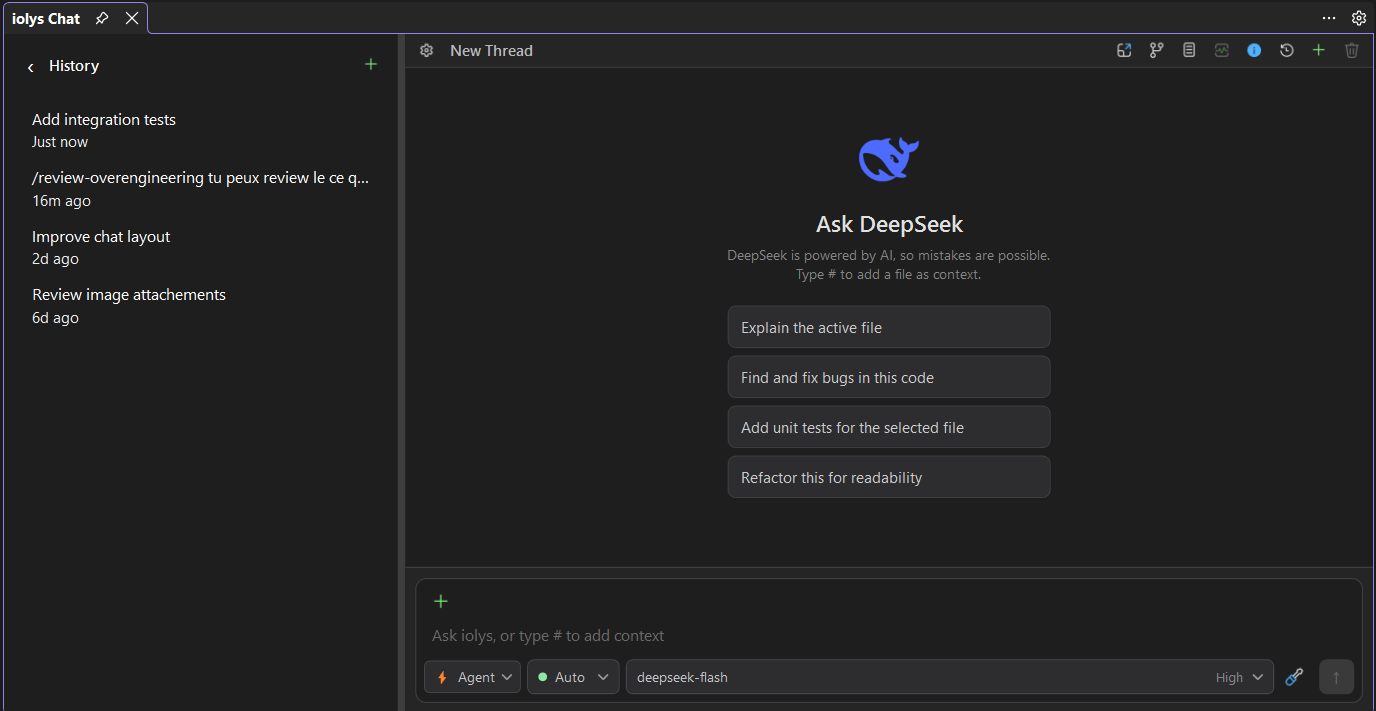
Send session diagnostics to support
Use /send_diagnostics in your chat to send your session and related logs to iolys support without interrupting an ongoing response. This gives support the context needed to investigate an issue without asking you to gather logs manually.
Add an optional description of the problem, follow the upload progress, and copy the support code once the report has been sent. You can also include your description directly after the command: /send_diagnostics Describe the issue here.

Also improved
- Switch models in an existing conversation · Your selected model is now applied correctly, so you can change models without opening another conversation. Your permission mode stays the same.
- Smoother chat scrolling · Sending a message resumes following the latest response. Scrolling up preserves your reading position, even when a queued message starts, so you can read earlier messages without being pulled away.
- Notifications when your input is needed · With notification sound enabled, you now hear an alert when the assistant asks a question or requests permission, helping you notice when it is waiting for you.
 Kiro credit usage · Credit consumption is now displayed accurately, making your remaining allowance easier to track. Unavailable usage is no longer shown as zero.
 Clearer Databricks errors · Provider setup now preserves error details returned by Databricks, helping you understand connection problems.