
iolys 2026 September Update 2: more room for chat and easier navigation
Get more room for chat, make text easier to read, and open worktrees in one click with iolys 2026 September Update 2 for Visual Studio.
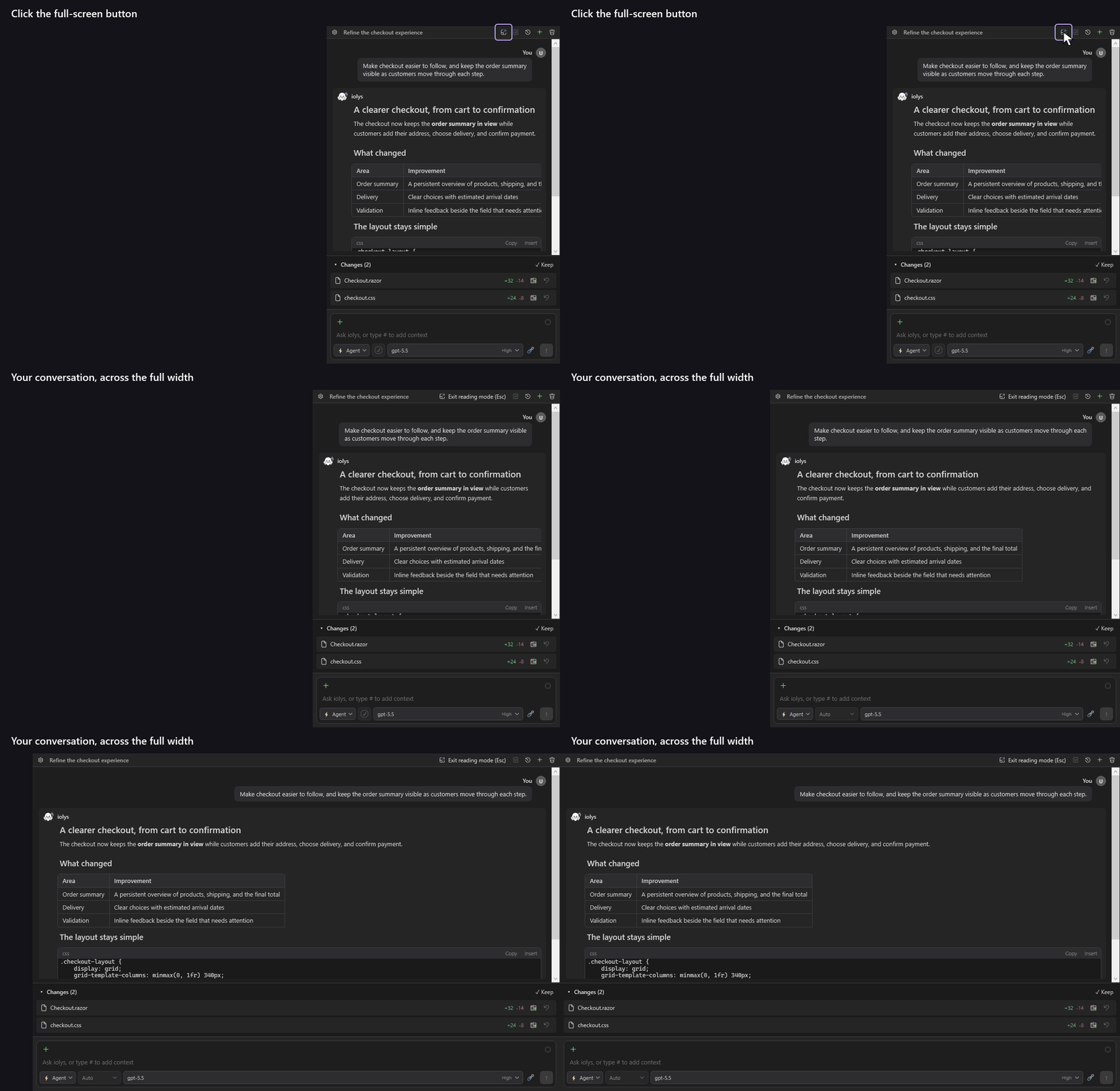
Full-screen Chat
Expand your conversation into Visual Studio's main document area. Get more room to read answers and code.
Chat zoom
Make text and code larger so they are easier to read. Use Ctrl + wheel to zoom and Ctrl + 0 to reset.
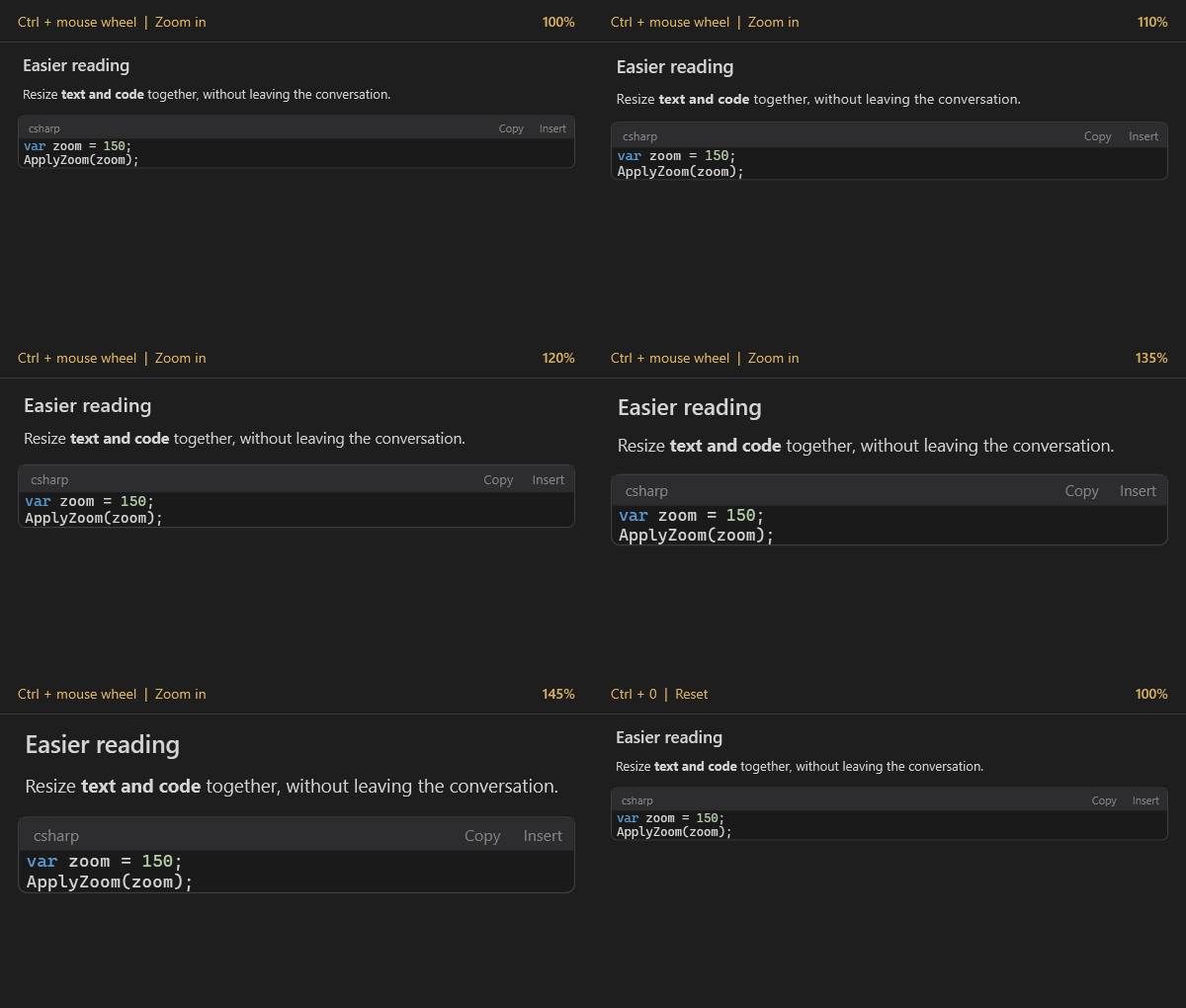
Clearer formatting makes answers easier to scan, and you can collapse Changes to focus on the conversation. Your zoom level and panel layout are remembered, so you do not have to adjust them again.
Cleaner terminal output
Commands and their output are now shown separately, so you can find results more easily. Expand the details you need and copy them in one click.
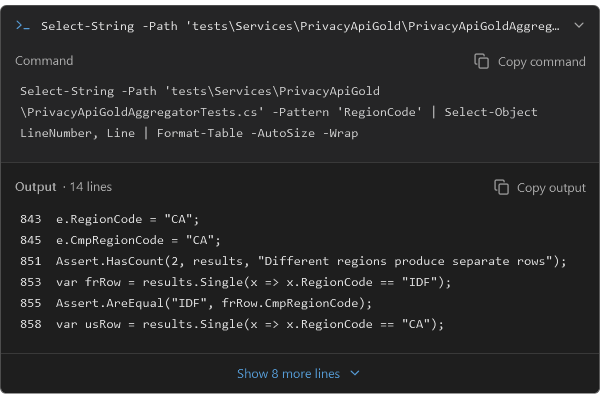
Long lines wrap to make output easier to read. Expanded sections stay open, so you do not have to reopen them. Available in Visual Studio and on the web.
Worktrees, one click away
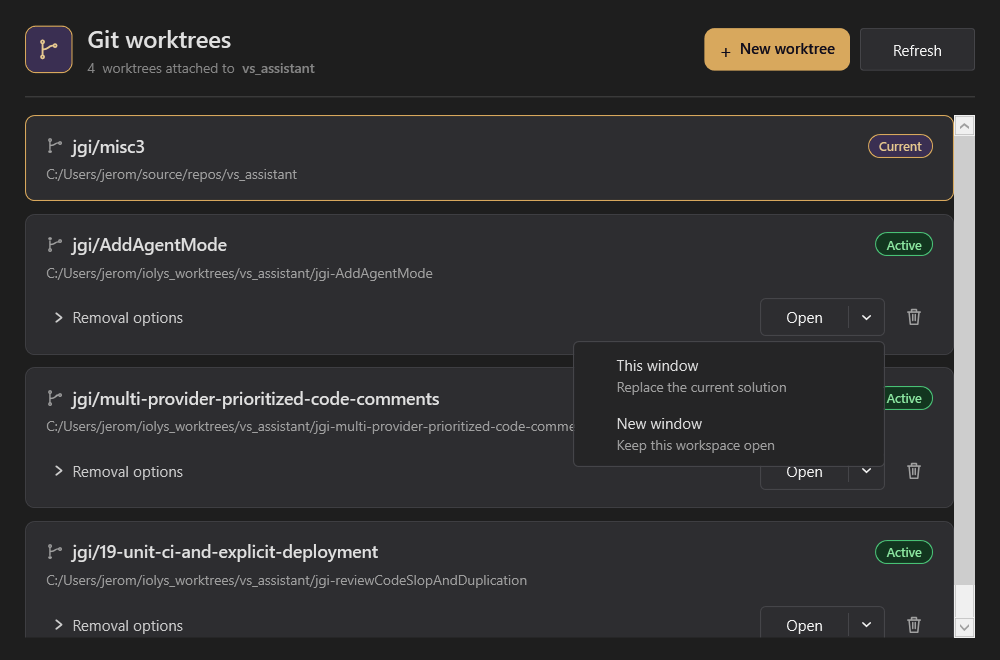
Open a worktree in the current window or a new one with one click. Clearer labels show which worktree is current or active, so you can find the right workspace more easily.
Also improved
- Change previews · Previews now reflect your open documents, so you can review the changes you are working on. More detailed summaries and labels for binary files make changes easier to identify, including in chat history.