iolys 2026 September Update 3: DeepSeek V4.1 Flash, drag and drop, and clearer permissions
Use DeepSeek V4.1 Flash, drop files into your chat, and see your permission mode more clearly with iolys 2026 September Update 3.
This update adds support for DeepSeek V4.1 Flash, file drag and drop in Visual Studio, and a clearer permission selector in Visual Studio and on the web.
 DeepSeek V4.1 Flash
iolys now supports DeepSeek V4.1 Flash. Use it to explore code, prepare a refactoring, or write tests directly in Visual Studio.
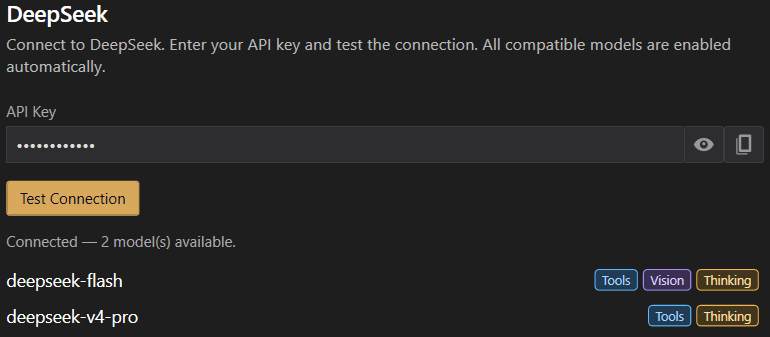
Open Manage Providers, enter your DeepSeek API key, and click Test Connection. Select deepseek-flash for your conversation. Usage is billed to your DeepSeek account.
Drag files into your chat
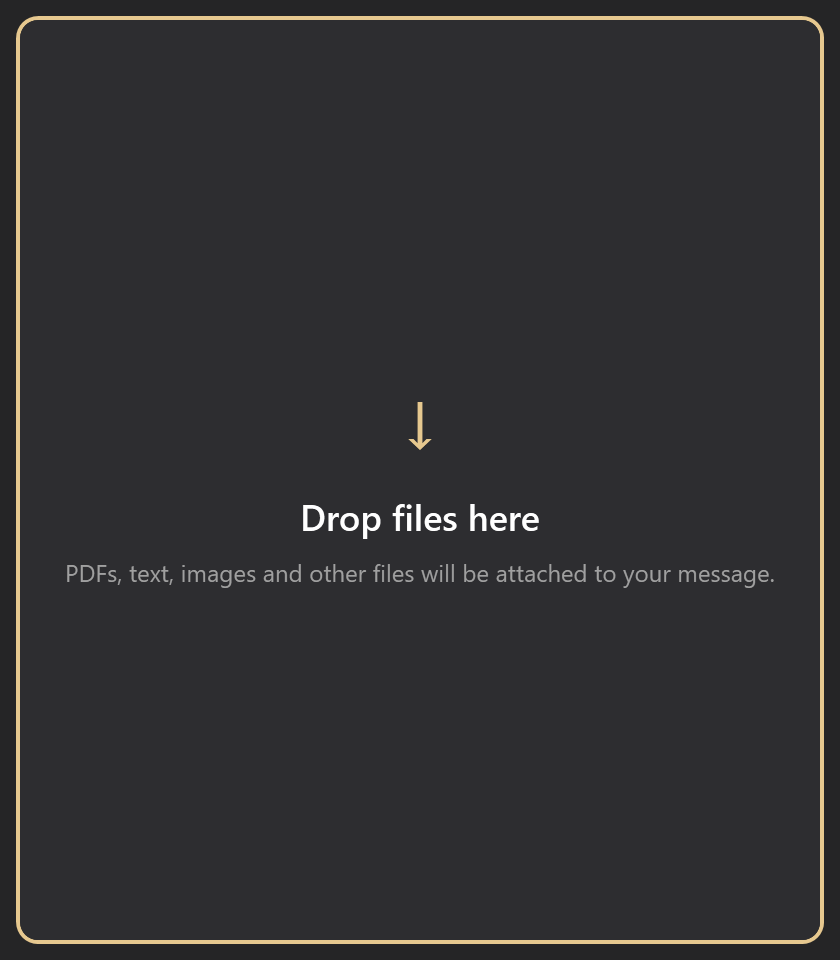
Drop one or more files onto the chat in Visual Studio to add them to your draft in one gesture. A highlighted drop zone shows where to release them. Your message stays unsent, so you can finish writing before sending.
Duplicate files and folders are ignored. Reading PDFs and other binary files requires a suitable tool from your provider. Access permissions still apply, and images must already be in your workspace or session.
See your permission mode at a glance
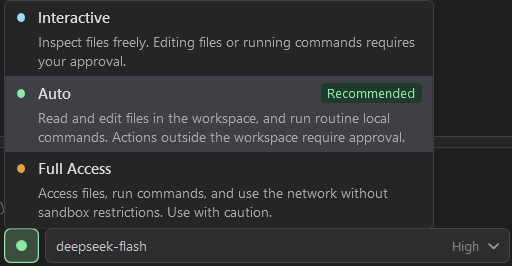
Colored indicators, tinted controls, and shorter Ask / Auto / Full labels make your selected permission mode easier to spot in Visual Studio and on the web.
In compact layouts, the selector shows just the colored indicator. Hover to see the selected mode's name, or open the menu for full labels and descriptions to help you choose.